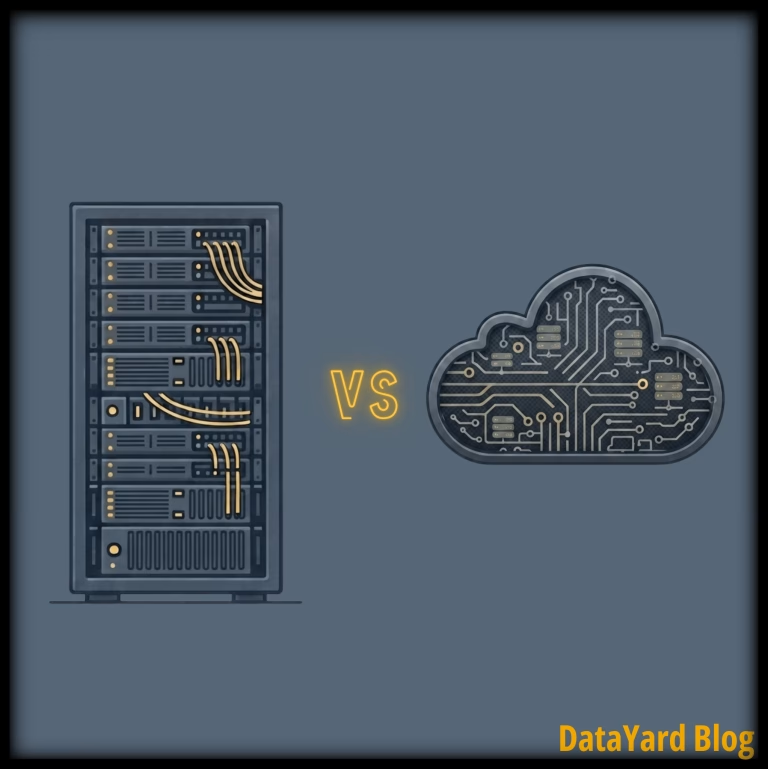
The cloud, colocation, or both? This guide compares the two on cost, control, security, and performance, so you can decide where each of your business-critical systems actually belongs.
For years, businesses heard a simple message: move everything to the cloud. In practice, infrastructure decisions have always been more nuanced.
Cloud is the right home for some workloads. Colocation makes more sense for others. And for many businesses, the best approach involves a mix of environments. With this guide, we’ll look at where each approach fits, what questions to ask, and how to decide where your critical systems belong.
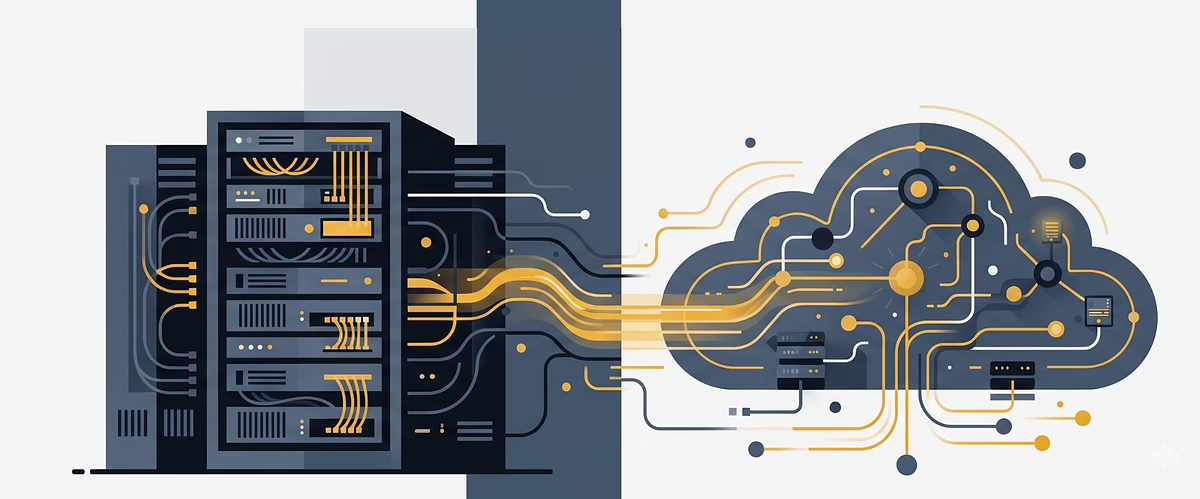
If you already own mission-critical hardware, need greater control over your infrastructure, or are reevaluating rising cloud costs, placing that hardware in a purpose-built data center may be worth considering. The goal isn’t to choose a side. It’s to build an infrastructure strategy that fits the way your business operates.
Colocation vs. Cloud: The Short Version
The differences between colocation and cloud start with who owns the hardware, but they don't end there. That ownership model shapes how you pay for infrastructure, how quickly you can scale, how much direct control you retain, and how the environment is managed.
One way to think about it is: renting versus owning. The cloud gives you access to infrastructure without owning the underlying hardware, while colocation lets you retain ownership of your equipment without having to operate the facility that houses it. The better fit depends on the workload, the level of control you need, and how you want to manage infrastructure costs.
Neither is universally "better." The right choice depends on what a given system needs, what you already own, and how much control you want to have.
| Attribute | Colocation | Cloud |
|---|---|---|
| You own | The hardware | Nothing physical |
| Cost model | Hardware CapEx plus recurring costs for space, power, connectivity, and services | Primarily OpEx through ongoing usage or service-based billing |
| Control | Full control of your equipment | Provider controls the entirety of the physical layer |
| Scaling | Requires acquiring and installing hardware | Fast, on demand |
| Best for | Owned, mission-critical, or specialized hardware | Variable workloads and rapid growth |
| Where data lives | You know exactly where data is housed | Depends on the provider and configuration |
The table gives you the high-level comparison. To understand which model fits a specific workload, it helps to look more closely at how each one works, starting with colocation.
What Is Colocation?
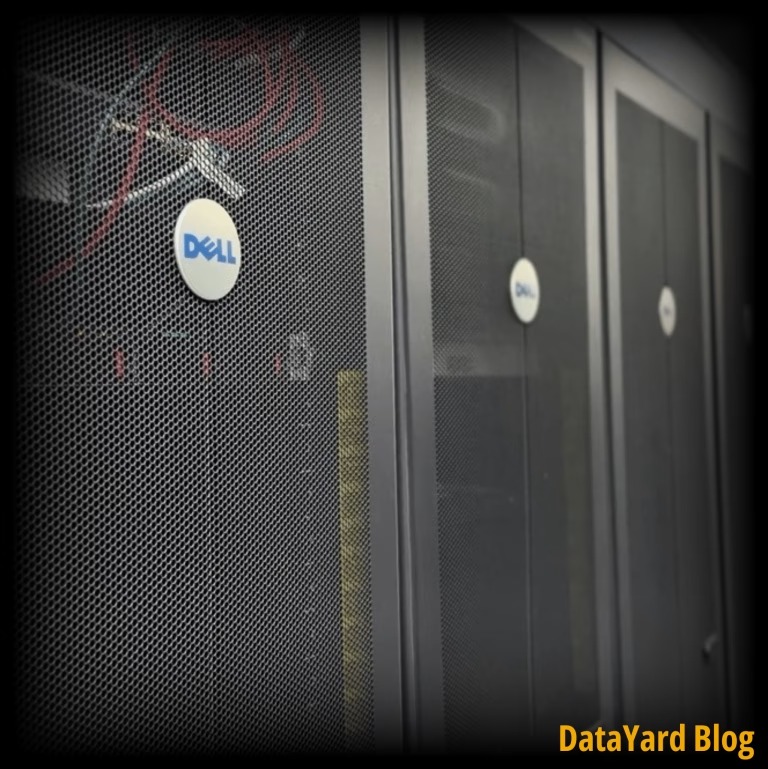
Colocation is when you place your own hardware in a third-party data center. You still own and control the servers, data storage, and networking gear inside of your cabinet. What changes is the environment around it.
Instead of running your infrastructure in an office closet or an aging on-premises server room, your equipment lives in a facility built specifically to keep critical infrastructure operating, with features such as redundant power, backup generators, high-capacity cooling, diverse internet connectivity, and layered physical security.
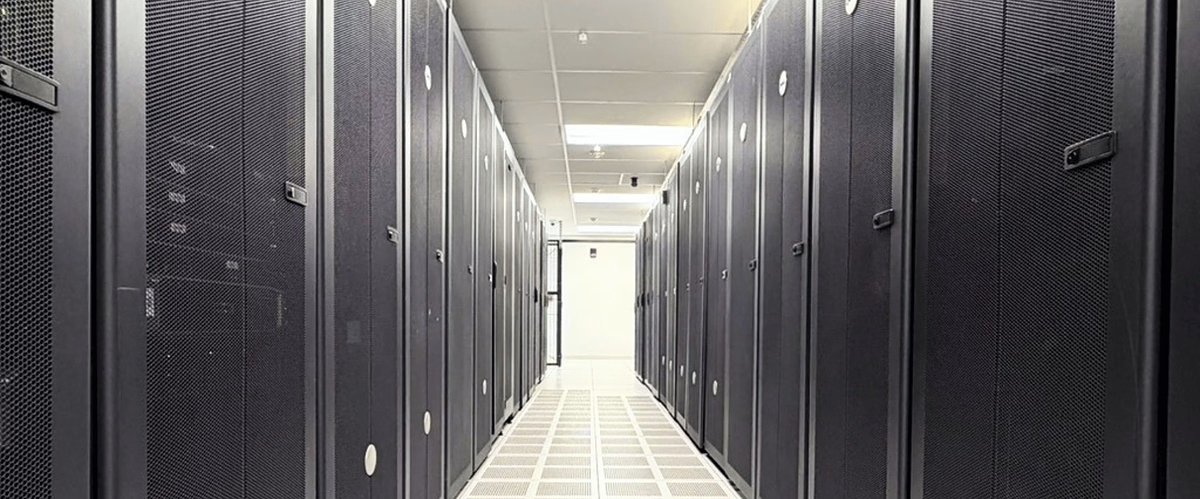
That environment matters more than it might seem. Among data center operators surveyed by the Uptime Institute for its 2026 Annual Outage Analysis, more than half said their most recent major outage cost over $100,000, and one in five said it topped $1 million. Those numbers underscore why resiliency matters when critical infrastructure is involved. Purpose-built data centers are designed with redundant systems intended to reduce infrastructure-related risks to the equipment they house.
Colocation tends to make sense when you already own mission-critical hardware, have specialized networking, application, or licensing requirements, want to retain ownership of your equipment, or need to know exactly where your data physically sits. It's a common landing spot for organizations that are done managing a facility but not done owning their infrastructure. The appeal is getting the best of both: you keep full control of your hardware and your data, while the facility handles the power, cooling, connectivity, and physical security that are hard to replicate in an office.
Thinking about moving to a colocation data center?
Our recent guide walks through the logistics: Things to Consider When Moving Equipment to a Colocation Data Center. Learn more about our purpose-built colocation in Dayton, Ohio: Data Center Colocation.
Colocation gives you a way to keep the hardware you own without operating the facility around it. Cloud takes a different approach by removing hardware ownership from the equation altogether.
What Is "The Cloud"?
The cloud flips the ownership model. You don't buy or maintain the underlying physical server hardware. Instead, you use compute, storage, networking, and other services running on infrastructure owned by a provider, and you pay based on the services or resources you use.
The cloud provider handles the physical layer: the servers, facility, maintenance, and hardware replacements. Your team, or a managed cloud provider, works at the software, configuration, and management layers. Resources can typically be scaled up or down without ordering and installing new physical equipment.
The cloud tends to make sense when your workloads are variable or seasonal, you're growing quickly and need to scale without hardware lead times, you'd simply rather not own or refresh hardware, or you need to spin environments up and down frequently.
It's also worth knowing there are public and private clouds. Public clouds like Amazon AWS and Microsoft Azure run on shared provider infrastructure and offer pay-as-you-go scalability, so you can add capacity on demand.
A private cloud gives you many of the same benefits while keeping your workloads on dedicated resources, with greater visibility into where your data resides, without owning the underlying physical gear yourself.
If the right cloud setup isn't obvious, cloud management and consulting teams can help you design a cloud layout that fits your workloads, controls costs, and keeps the environment running well over time. Whichever fits, our team can help you design and manage it.
Understanding how each model works is the first step. The bigger question is how those differences affect the factors businesses actually have to weigh: cost, control, security, performance, and scalability.
Colocation vs. Cloud: A Closer Look
The short version covers the headline differences. Here's where the decision actually gets made.
Cost: CapEx vs. OpEx
This is often a major factor in the decision, and it's rarely as simple as one being "cheaper" than the other.
With colocation, hardware is typically a capital expense. You purchase and own the equipment, while space, power, connectivity, and related data center services are ongoing operating expenses. Those recurring facility costs are generally more predictable, which can make long-term infrastructure spending easier to forecast.
The cloud is primarily an OpEx model. There's no physical hardware to buy, but you pay on an ongoing basis for the resources and services you consume. Depending on the environment and pricing model, those costs can become harder to predict as usage grows. Charges that are easy to overlook up front, such as data transfer (egress) fees for moving data out of a provider, can add up unexpectedly over time.
This isn't a fringe concern. Managing your business' cloud spend has ranked as the top cloud challenge for four straight years, cited by 85% of organizations in Flexera's 2026 report. The report also found estimated wasted cloud spend at around 29%.
The practical takeaway: the cloud can be financially attractive for short-term, variable, or rapidly changing workloads, while colocation can offer greater long-term cost predictability for steady, always-on workloads running on hardware you already own.
Actual total cost depends on the details, including hardware refresh cycles, staffing, licensing, bandwidth, power requirements, and how fully you use the resources you're paying for. The right comparison is a workload-specific total cost analysis, not simply one monthly bill against another.
Cost is only one part of the equation. The ownership model also determines how much direct control you have over the infrastructure running your workloads.
Control and Ownership
With colocation, you keep full control of your hardware and its configuration. You decide what equipment runs, how it's configured, and when it changes. For teams with specific licensing, performance, or hardware requirements, that level of control can matter.
With the cloud, the provider controls the physical layer and, depending on the service, may manage additional parts of the technology stack. You gain convenience and flexibility while giving up some direct control over the underlying infrastructure.
For many workloads, that's a worthwhile trade. For others, maintaining direct hardware control is an important requirement.
The flip side of that control is responsibility: with colocation, maintaining and updating your own hardware is on you, though many providers offer remote hands and support to handle physical tasks when you can't be on-site. With the cloud, the provider absorbs much of that operational load as part of the service.
Even then, the cloud isn't entirely hands-off. You still manage the cost, configuration, and architecture, which is why some teams bring in cloud management and consulting assistance to keep spend and setup optimized over time.
That difference in control also shapes how security responsibilities are divided and how organizations approach specific compliance or governance requirements.
Security and Compliance
Both models can be highly secure, but responsibility sits differently.
In colocation, physical security comes from the facility through measures such as access controls, surveillance, and restricted entry, while you retain responsibility for securing your own systems, applications, and data.
In a public cloud, security typically follows a shared responsibility model between you and the provider. Major cloud platforms offer extensive security capabilities, including region selection, encryption options, identity controls, and granular access management.
The more useful distinction isn't which model is "more secure." It's which model gives your organization the right level of control and visibility for its specific requirements. Organizations with particular data-residency, hardware-control, or audit requirements may prefer the more direct physical control available through colocation or certain private cloud environments.
Beyond security and compliance, the underlying infrastructure can also affect how consistently workloads perform and how much flexibility you have to optimize for specific requirements.
Performance and Latency
Colocation gives you dedicated hardware, which can provide consistent, predictable performance. Because you control the equipment and its configuration, you can design the environment around the specific performance requirements of your workloads.
Cloud performance is generally strong, and public cloud providers offer a wide range of configurations, including dedicated resources and options designed for workloads with specific performance requirements.
The distinction comes down to workload needs. Shared cloud configurations may introduce variables that dedicated environments are designed to avoid, while the cloud provides significantly more flexibility to add or change resources. For most applications, either approach can deliver excellent performance when properly architected. For latency-sensitive or highly specialized systems, the underlying infrastructure deserves closer consideration.
Consistent performance matters, but so does the ability to add capacity when demand changes. That's where the scalability differences between the two models become especially important.
Scalability
This is where the cloud has a clear advantage.
Need more capacity? Cloud resources can often be added in minutes without purchasing or installing new hardware. For workloads that spike, grow quickly, or change frequently, that flexibility is difficult to match.
Colocation scales too, but on a hardware timeline. Adding capacity means acquiring, installing, and configuring additional equipment, which requires planning.
For steady, predictable workloads, that may not be a problem. For highly unpredictable or short-lived demand, cloud elasticity can be a significant advantage. This is also where the two models complement each other: some businesses keep steady systems in colocation and lean on cloud to absorb short-term spikes, which is the basic logic behind a hybrid setup.
Taken together, these differences point back to the same conclusion: the right environment depends on the workload. And in many cases, choosing one model for every system isn't necessary.
What About Hybrid?
For many businesses, the answer isn't just colocation or the cloud. It can be both.
Hybrid infrastructure combines multiple environments -- colocation, private cloud, public cloud, and sometimes on-premises systems, so each workload can run wherever it fits best.
Hybrid infrastructure is widely adopted. According to Flexera's 2026 State of the Cloud Report, 73% of organizations operate hybrid estates spanning public cloud, private cloud, and on-premises or colocated hardware.
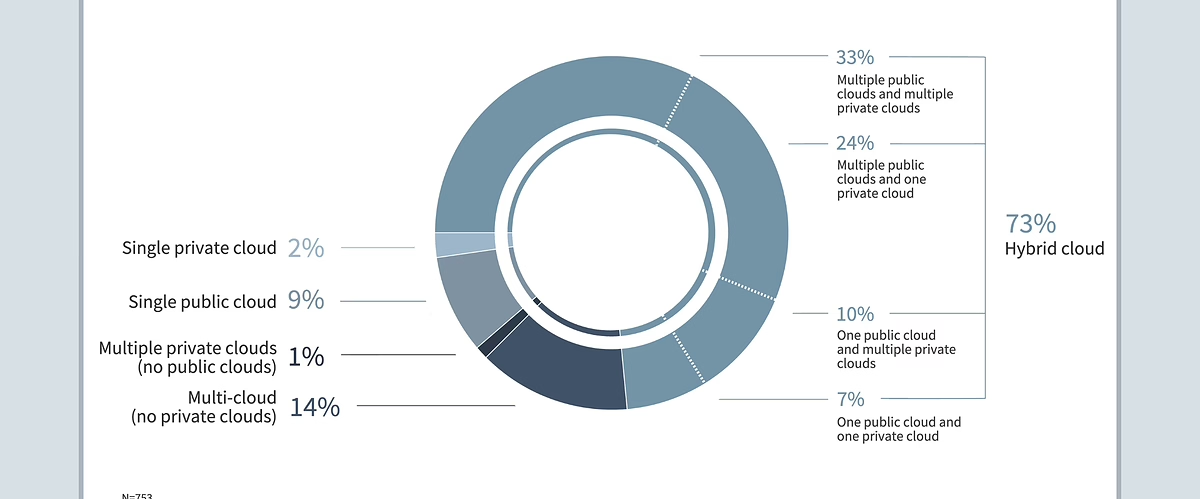
There's a reason it's so common. Workloads move to (or stay out of) the public cloud for all kinds of reasons, including performance, compliance, data sovereignty, latency, control, and economics. No single environment is the right fit for every system.
A hybrid approach lets you match each workload to the right home. Steady, business-critical systems and hardware you already own may be strong candidates for colocation. Variable, fast-scaling, or short-lived workloads may be better suited to the cloud. In practice, that often looks like keeping a core production system on dedicated hardware in a data center while using a cloud environment to absorb seasonal traffic spikes, with the two connected so they work as one environment.
Done well, a hybrid setup isn't a compromise. It's an intentional architecture that balances cost, control, performance, and flexibility.
So Which One Should You Choose?
The right answer depends on the specific workload. A few questions can help point you in the right direction:
- Do you already own mission-critical hardware you want to keep using? Colocation is worth a serious look.
- Are your workloads highly variable or growing quickly? Cloud flexibility may be the better fit.
- Do you need predictable, easily-forecast costs for steady, always-on systems? Colocation may come out ahead over time.
- Do you need to spin environments up and down frequently? The cloud is built for that.
- Do you have specific data-residency, hardware-control, or audit requirements? Colocation and certain private cloud environments may make those requirements easier to address.
Many organizations ultimately land on some mix. The goal isn't to pick a side. It's to put each system where it runs best.
Making those decisions workload by workload can create a better-fit infrastructure strategy, but it also requires expertise across multiple environments. That's where having one team that understands cloud, colocation, and hybrid infrastructure can help.
Why DataYard
The hard part usually isn't picking cloud or colocation (or a mix of both). It's figuring out which workloads belong where, and then running them well once they're placed. That's the work we do.
DataYard designs and manages infrastructure across private clouds, public clouds, and colocation setups. That means we can start with your workloads and requirements, then determine which environment, or combination of environments, makes the most sense. When the right answer is a hybrid mix, our team can help architect and manage the pieces together.
Our own private cloud and colocation infrastructure are housed in our SOC 2 Type 2 accredited data center in downtown Dayton, with redundant power, N+1 cooling, diverse connectivity, and 24/7 support from Ohio-based engineers. Both services are financially-backed by a 99.999% uptime guarantee.
For public cloud and hybrid environments, our team brings experience across platforms and technologies including AWS, Azure, and Cloudflare.
The result is infrastructure designed around what your workloads actually need, backed by engineers who understand the environment they're managing.
Not Sure Where Your Workloads Belong?
There's no single right answer, and the best setup usually depends on details specific to your business.
If you'd like a second perspective, our engineering team can help you weigh the options and design an environment that fits, whether that's a private cloud, a public cloud, colocation, or a mix.
DataYard has operated its own data center in downtown Dayton since 1995, and we help organizations host and manage mission-critical infrastructure.
FAQ: Colocation vs. Cloud
Still weighing the options? These common questions cover a few of the issues businesses often consider when comparing colocation and cloud.
Is colocation cheaper than the cloud?
It depends on the workload. Colocation typically involves an upfront investment in hardware plus recurring costs for data center space, power, connectivity, and related services. For steady, always-on systems, that model can provide greater long-term cost predictability. The cloud avoids the upfront cost of purchasing physical hardware but typically involves ongoing service or usage-based costs, which can be attractive for variable workloads, but may become harder to predict as usage grows. Actual total cost depends on hardware refresh cycles, staffing, licensing, bandwidth, power requirements, and utilization, so it's worth modeling the options for your specific systems.
Is the cloud more secure than colocation?
Neither is inherently more secure. Both can be highly secure when designed and managed well. The difference is where responsibility sits and how much direct control you retain. Organizations with specific data-residency, hardware-control, or audit requirements may prefer the more direct physical control available through colocation or certain private cloud environments.
Should I use colocation or cloud, or both?
Many organizations use both, placing steady or already-owned systems in a colocation data center while using the cloud for workloads that benefit from rapid scaling. Deciding which workloads go where isn't always obvious, though, and it's a common reason businesses bring in a partner who works across colocation, private cloud, and public cloud infrastructures to assess their environment and design the right mix.
Are companies moving from cloud back to colocation?
Some organizations move specific workloads out of the public cloud, often for reasons such as cost predictability, data transfer (egress) fees, performance consistency, or tighter control and compliance. This practice is sometimes called cloud repatriation. It's less a wholesale reversal than a sign that businesses are evaluating where individual workloads fit best. For many organizations, the result is a hybrid infrastructure strategy that combines multiple environments rather than moving everything in one direction.
How do I know which workloads belong where?
Start by looking at each system's cost profile, performance requirements, growth patterns, existing hardware, and compliance or governance needs. Steady, business-critical, or hardware-specific systems may be good candidates for colocation. Variable, seasonal, or rapidly scaling systems may be better suited to the cloud. The important thing is to evaluate the workload first rather than choosing an infrastructure model and forcing every system into it.
What is a hybrid infrastructure strategy?
A hybrid infrastructure strategy intentionally combines multiple environments, which may include public cloud, private cloud, colocation, and on-premises infrastructure. Rather than forcing everything into one model, each workload is placed in an environment based on factors such as cost, control, performance, scalability, and operational requirements. The different environments can then be connected and managed as part of a broader infrastructure strategy.
Talk With Our Team
DataYard has operated its own data center in downtown Dayton since 1995, and we help organizations host and manage mission-critical infrastructure.
Citations
Flexera. "2026 State of the Cloud Report."
Uptime Institute. "Annual Outage Analysis 2026."