Colocation Migration Checklist
If you're planning a migration to a colocation facility, here's a quick checklist of the major planning items to keep in mind. We'll cover each one in more detail throughout the rest of this guide.
- Inventory all equipment
- Research colocation facilities
- Confirm carrier connectivity
- Test backups
- Design rack layout
- Document rollback plan
- Schedule downtime
- Verify DNS and firewall changes
Why Businesses Move Equipment to a Colocation Facility
Most colocation projects don't start with a technical decision.
They start with a business problem.
An office move. A recurring outage. Rising utility costs. A server room that's one power surge away from a bad day. Whatever the trigger, the pattern is usually the same: something forces the issue, and suddenly relocating infrastructure makes a lot more sense than it did six months ago.
Common triggers include:
- Power or internet outages at the office
- An office move or shift to remote work
- Rising utility and facility costs
- Aging server rooms with no infrastructure redundancy
- A data center that's closing or underperforming
- Growth that's outpaced existing infrastructure
- Compliance or security requirements that the current on-prem can't meet
- A need to retain hardware ownership while offloading the facility burden
Colocation hits a practical middle ground: you keep control of your equipment while gaining access to purpose-built infrastructure with redundant power, reliable cooling, diverse connectivity, and physical security that most office environments can't match.
If any of those sound familiar, here are a few things to consider before you start unplugging anything.
Document Everything First
Record your inventory before any equipment is disconnected.
Before any equipment is disconnected, document everything you have.
That means servers, storage systems, network switches, firewalls, serial numbers, asset tags, rack locations, IP addresses, VLAN assignments, port mappings, software licenses, virtual machine dependencies, and backup configurations.
During a physical move, things can get disconnected, shuffled, or mislabeled. This is why precise documentation eliminates most of the guesswork during re-installation and helps speed up troubleshooting when something doesn't come back online the way it should.
A migration to colocation is also a good opportunity to identify hardware that can be retired rather than relocated. Avoid moving equipment you no longer need to run operations. With a complete inventory in hand, the next step is making sure your new facility can actually support what you're bringing.
Confirm the New Facility Can Support Your Requirements
Verify the facility supports your current environment and future growth.
Not all colocation data centers are built the same. Before choosing a colocation provider, verify the facility can support both your current environment and future growth.
Items to confirm with colocation facilities:
- Power: Total consumption, redundant A/B feeds, UPS infrastructure, generator backup, and available power density per rack. It's easier to request more power upfront than to negotiate for it after you're installed.
- Cooling: Cooling capacity, airflow design, and hot/cold aisle configuration. Reliable cooling directly affects hardware performance and lifespan, so you want to make sure where you're moving is up to the task.
- Space: Current rack requirements, room to grow, and whether private caging is available if you need it.
- Connectivity: Available internet bandwidth, carrier diversity, and cross-connect options. If you lose an internet upstream provider, carrier diversity is what keeps you running -- most organizations don't think about this until it matters.
- Physical security: Access control, video surveillance, visitor management, and restricted entry areas.
- Accessibility: 24/7 access, after-hours procedures, and proximity to your office. When something fails at 2AM, how fast can you get there?
Once the facility is confirmed, the piece most teams underestimate is network planning, and it needs to start earlier than most expect.
Plan Network Connectivity Early
Work through circuit and carrier requirements well before the move date.
Network provisioning is one of the most common sources of migration delays and one of the easiest to avoid with early planning.
If your environment depends on dedicated circuits, SD-WAN, MPLS, VPNs, or cloud interconnects, start working through those requirements well before the move date. Carrier provisioning timelines are often longer than expected.
Questions to answer:
- Will existing circuits need to transfer?
- Are new circuits required at the new facility?
- Will VPN endpoints or IP address information change?
- Will firewall policies need updates?
Getting ahead of this avoids the frustrating situation where equipment is physically online but traffic isn't reaching it correctly. With connectivity planned, the next decision is how equipment will physically live in the space.
Design Rack Layouts Before Equipment Arrives
Plan the physical layout instead of figuring it out on moving day.
Don't wait until moving day to figure out where things will be installed.
A planned rack design helps avoid cable congestion, airflow problems, uneven power draw across redundant feeds, and limitations on future expansion. Think through weight distribution, cable management paths, serviceability, and where growth will physically fit.
Pre-planned the rack layout helps cut installation time significantly and makes future maintenance much simpler.
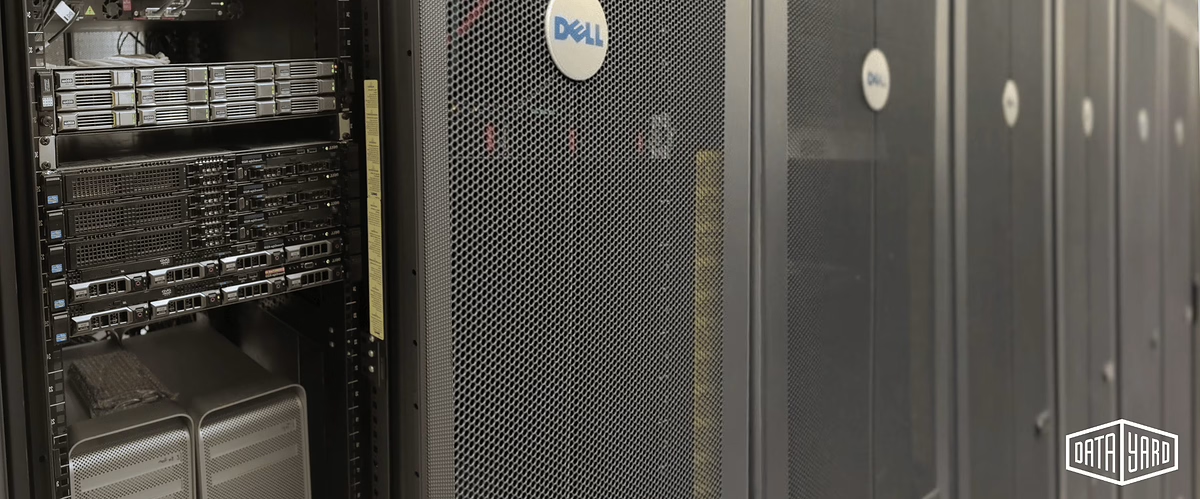
Quick Tip
Your colocation provider may be a good resource here. A good one has likely seen hundreds of rack configurations and can help you avoid common layout mistakes before equipment arrives.
When your rack layout is done, the next thing to nail down is your downtime plan and what happens if something doesn't go right.
Plan for Downtime and Build a Rollback Strategy
Control downtime with a deliberate plan and a documented rollback procedure.
Every colocation migration should include a deliberate downtime plan and a documented rollback procedure if something doesn't go as expected.
Before the move begins:
- Schedule the move during off-hours, or on a day when downtime is manageable
- Identify your most critical applications and move them last / turn them on first
- Validate non-critical systems before touching production workloads
- Document rollback procedures in writing, not just in someone's head
- Assign clear ownership for each migration task
- Designate a single point of contact for communication — internally and with affected vendors or customers
The goal isn't to eliminate downtime entirely, but rather to control it. Planned downtime is tolerated. Surprise downtime is not. Clear communication before the move helps set expectations and minimizes surprises.
Before anything gets packed, there's one step that's non-negotiable.
Validate Your Backups
A backup is only valuable if it can actually be restored.
Before equipment leaves its current location: perform fresh backups of all data, export firewall and switch configurations, and verify those backups are actually restorable.
A backup is only valuable if it can be restored successfully -- so test it, don't just confirm it exists.
Even hardware that's been running reliably for years can have a bad day after being transported. Vibration, physical shock, and the stress of a move can surface latent hardware issues. Verified backups mean a hardware failure during transit becomes a recoverable incident rather than a total business disaster. If you don't have a solid backup and recovery plan in place before the move, that's the place to start.
Now the focus shifts to transporting the equipment safely.
Plan the Physical Move Carefully
Server equipment is designed for operation, not transportation.
Server equipment is designed for operation, not transportation. Proper handling matters more than most organizations expect.

- Packaging: Use anti-static foam, shock-resistant containers, and equipment boxes rated for the weight. Consumer-grade moving materials are typically not appropriate for server hardware.
- Labeling: Before disconnecting anything, label cables, label power connections, document switch ports, and photograph your rack layouts. Photos routinely save hours during reassembly.
- Handling: Follow manufacturer handling and lifting recommendations for all equipment being transported.
- Transportation: Where possible, use vehicles with air-ride suspension and climate control. Vibration during transit causes more hardware damage than most people account for.
- Insurance: Confirm that you have coverage during packing, transit, loading, unloading, and installation. Many standard policies have gaps for equipment in transit -- verify your policy details before the truck pulls out.
Planning a colocation migration?
If you'd like a second set of eyes on your migration plan before moving day, our engineering team can help identify potential risks and answer questions before they become problems. DataYard has been helping organizations relocate and operate mission-critical infrastructure from our Dayton data center since 1995.
Talk With Our Team →Plan for IP Address and DNS Changes
IP and DNS changes are often what keep things from coming back online cleanly.
Once equipment is in place, IP and DNS changes are often what keeps things from coming back online cleanly. If your move involves changing providers or network environments, public IP addresses are likely to change. This is one of the more commonly underestimated issues in a colocation move.
Before the move, review DNS records, firewall rules, VPN configurations, SaaS allow lists, email services, vendor integrations, and geolocation-based restrictions. DNS propagation takes time, and catching dependencies in advance prevents the post-move situation where everything is physically online but something still isn't working.
After the move, who you can call, and how fast they respond, matters more than most organizations plan for.
Understand Remote Hands Support
When your equipment is in someone else's facility, remote hands matter.
When your equipment is in someone else's facility, remote hands support can be what stands between a minor issue and an after-hours emergency trip.
In a cloud environment, a provider handles the physical layer for you. In colocation, you own the hardware -- which means when something needs physical attention, either you go there or someone does it on your behalf. That's remote hands.
Before committing to a provider, ask: Is support available 24/7? Are emergency reboots included? Can technicians assist with drive replacements or basic troubleshooting? What are the guaranteed response times, and are there additional fees for after-hours support?
Good remote hands support doesn't just reduce emergency trips -- it gives you confidence that someone can act on your behalf when you can't be on-site.
Choose a Provider You Can Actually Work With Long-Term
The facility specs matter. The relationship matters too.
The facility specs matter. The relationship matters too.
When evaluating a colocation provider, look for responsive support, clear escalation paths, transparent pricing without surprise overage fees, experienced technical staff, local accessibility, room for growth down the road, and a proven operational history.
A colocation facility isn't just a place to store equipment. It's infrastructure your business depends on. The right provider should feel like an extension of your team -- not just a landlord collecting a monthly rack fee.
Final Thoughts
No two colocation migrations are exactly alike, but the same principle applies to nearly all of them: preparation reduces risk.
Organizations that experience the smoothest transitions typically spend the most time documenting dependencies, validating backups, coordinating connectivity changes, and communicating expectations before the move begins.

The physical relocation may only take a day or two. The planning behind it often determines whether the migration feels routine or becomes an extended troubleshooting exercise.