Managed Backup Services
Data Backup & Recovery Solutions
$#IT HAPPENS!
Hardware fails. Files get deleted. Cyberattacks happen. DataYard provides managed backup services for the data and applications your business runs on, with recovery support from the engineers who keep it protected.
Talk to DataYard About Backups
The Service
Business Data Backups Built Around Your Environment
Creating copies of your data is one part of a backup strategy. What matters is having the right copies, protected in the right places, with a clear path to recovery if something goes wrong.
Protection Across Your Environments
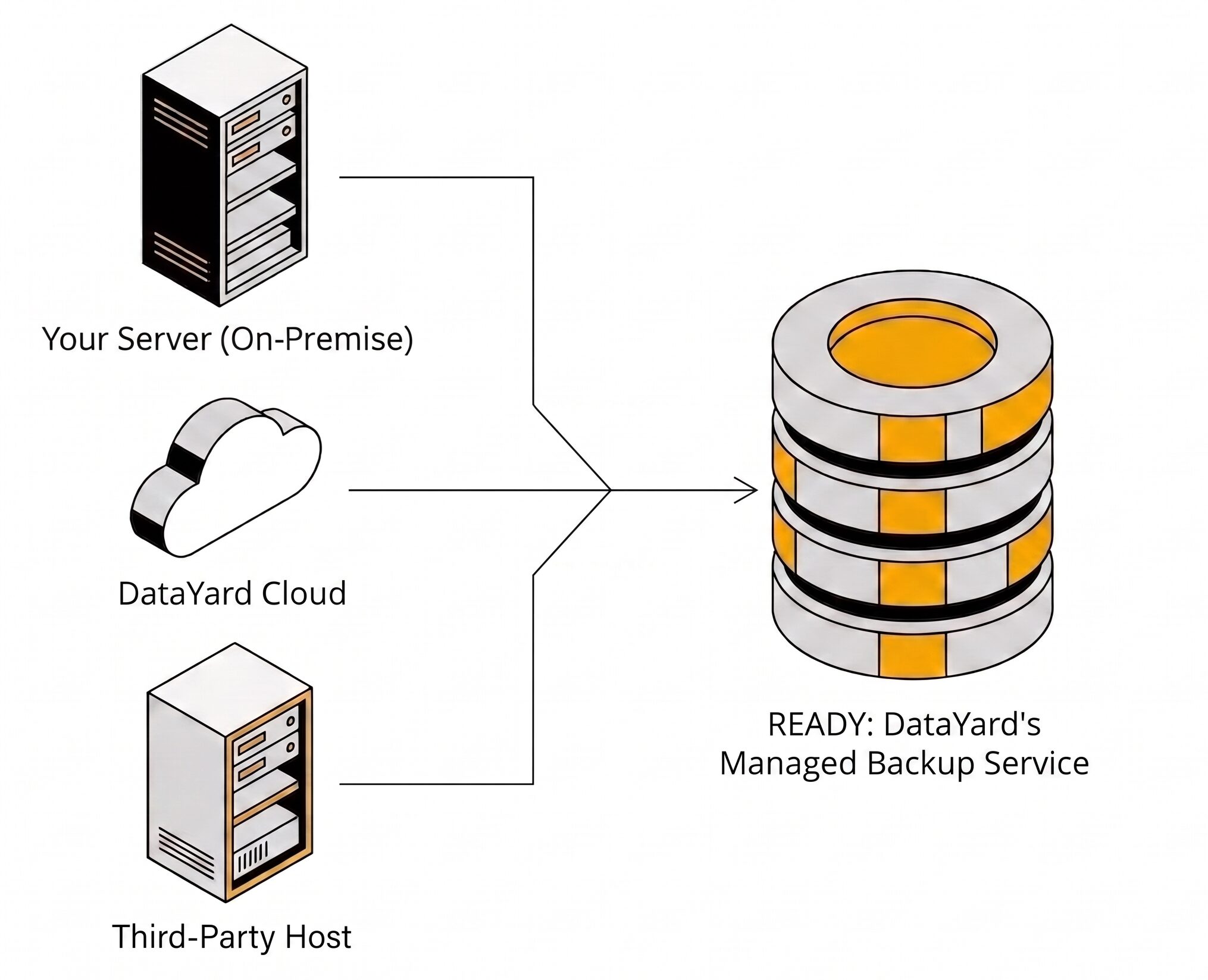
READY is DataYard’s managed backup service, providing data backup and recovery options for critical business systems. We can protect data from servers at your location, within DataYard’s cloud environment, or with a third-party host. We design your backup strategy around your infrastructure, retention requirements, and recovery objectives.
When you need to recover data from your DataYard backups, you work with engineers who know the infrastructure behind them.
What’s Included in READY Backup
- Backup monitoring
- Offsite backup copies
- Immutable backups, on by default
- 3-2-1 configuration assistance
- Encryption in flight and at rest
- Retention aligned to your recovery requirements
- Protection for servers across multiple environments
- Recovery support for the data we protect
- Dayton, Ohio based technical support
What You Get
What Managed Backup Services Cover
Backup and Restore
Files get deleted. Systems get overwritten. Hardware fails without warning. READY backs up your data on a schedule built around your requirements, and DataYard monitors those jobs for successful completion rather than leaving you to check them.
When you need something back, you request a restore and work with engineers who know your environment.
Ransomware Protection
Ransomware does not stop at your production data. Modern cyber attacks look for backups too, because having a reliable recovery option reduces the leverage an attacker gains by encrypting production systems.
That is why infrastructure separation matters. Backup copies held away from production, immutable backups, and credential separation between production and backup systems all reduce the chance that one compromised account puts both your live data and your recovery copies at risk.
The goal is straightforward: having a clean copy of your data to restore from.
Recovery Support
Recovery support covers the data and environments DataYard backs up. You are not filing a ticket with someone who has never seen your infrastructure. You are working with the team that built and monitors your backup environment.
Server Backup
Server Backups for Business Environments
Most business data and applications live on servers, and most server environments grew over time rather than all at once. A file server here, a database server there, a virtual machine added down the line.
Server backups protect those systems as they actually exist today, rather than as they appear on an outdated diagram. DataYard backs up servers running on-prem at your location, in our cloud environment, in a colocation facility, or with a third-party provider, and monitors those jobs so a silent failure does not go unnoticed for months.
Coverage
What We Protect
READY protects the systems most business data actually runs on.
- Physical servers
- Virtual machines, including VMware and Hyper-V
- Linux servers
- SQL and other databases
- Cloud servers
- Other workloads, depending on your environment
Offsite Copies
Data Center Backups, Recovery, and Offsite Copies
Offsite backups mean a copy of your data is kept physically separated from the location where your production systems run. If a fire, flood, power event, or security incident affects the primary site, a copy exists somewhere else that the incident did not reach.
DataYard operates its own data center in Dayton, Ohio, built with a Tier 3 design and N+1 standby power redundancy. For many clients, that facility is where their offsite copies live, which means you know where your data resides and can talk to the team that operates it.
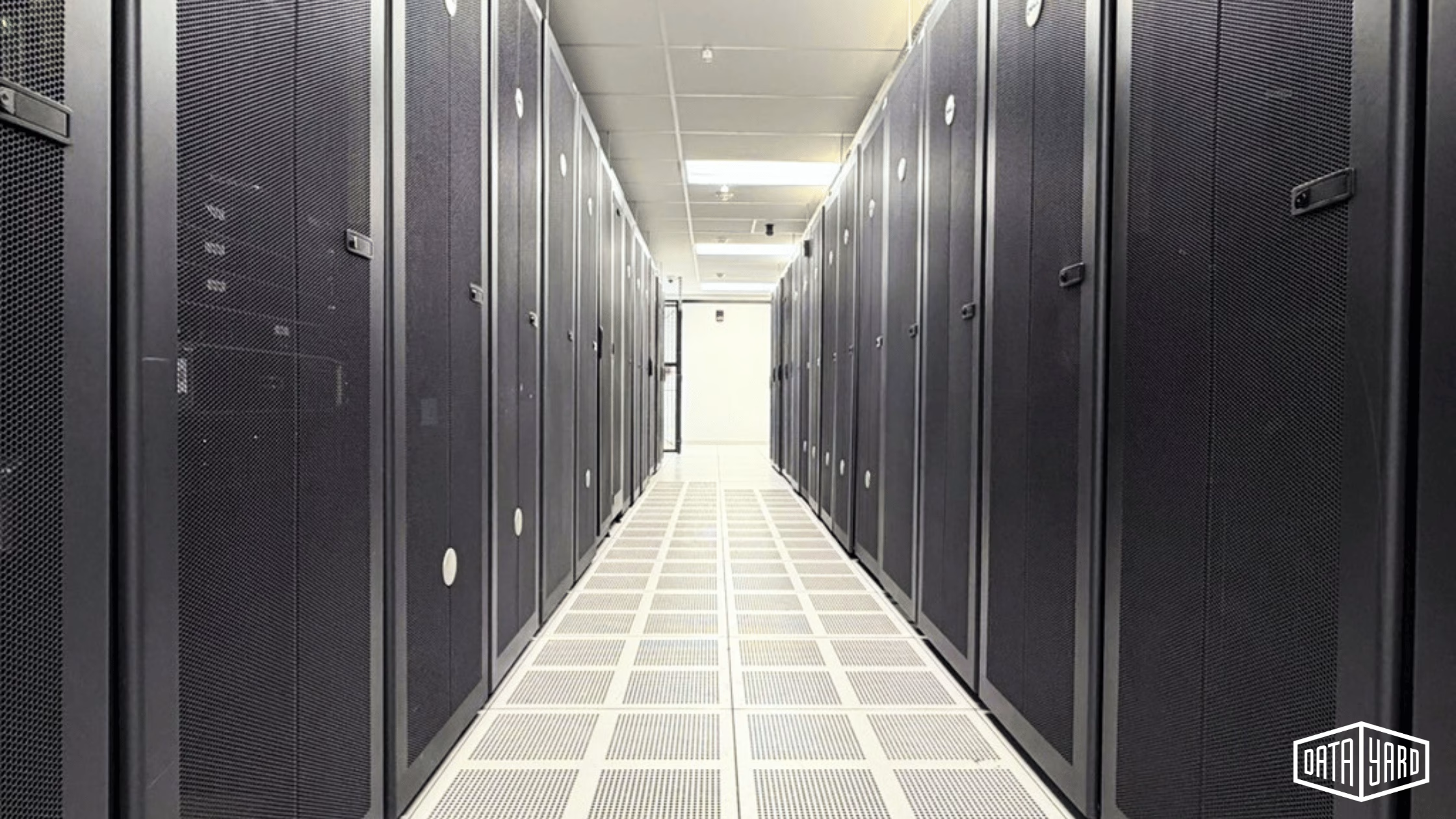
Business infrastructure rarely sits in only one place. Applications in a private cloud, servers at the office, equipment hosted elsewhere. DataYard can protect data across all of them and build backup plans around your existing infrastructure, rather than forcing your business into a predetermined model.
- Tier 3design
- N+1standby power redundancy
- SOC 2 Type 2Accredited
Happy Clients














Recovery Planning
Backup and Recovery Go Together
A successful backup job tells you that data was copied. It does not tell you what your recovery process will actually look like.
A complete, documented backup strategy answers four questions:
-
Recovery Point Objective (RPO)
How much recent data could the business tolerate losing?
-
Recovery Time Objective (RTO)
How quickly do important systems need to be available again?
-
Retention
How far back in time might the business need to recover?
-
Restore Testing
Has the recovery process been tested to confirm it works as expected?
Answers to these questions determine what your backup architecture needs to accomplish.
Ransomware Resilience
Immutable Backups Add Another Layer of Protection
An immutable backup is a backup copy that cannot be changed or deleted during a defined retention period.
That matters because ransomware and compromised credentials can put more than just a business’ production data at risk. If your backup infrastructure can be reached through a compromised account, the recovery copies you are counting on may be affected too.
Immutability does not replace a broader backup strategy. It works alongside offsite copies, credential separation, appropriate retention, and recovery planning.
Talk to DataYard About BackupIncluded With READY
Immutable backups are on by default for every DataYard READY customer. The standard configuration keeps seven days of nightly backups in an immutable repository, and that window can be adjusted to match your retention requirements.
Inside that window, backup data cannot be altered or deleted. That holds even for an administrator on your own team with full access to your environment, which is the same access an attacker gains when an administrative account is compromised.
Backup Architecture
3-2-1 Backups and Modern Data Protection
The 3-2-1 backup strategy is built on a straightforward principle: keep multiple copies of important data across different storage types, with at least one copy offsite.
- 3copies of important data
- 2different types of physical media
- 1copy kept offsite
It remains a useful foundation, and modern environments often add protections on top of it: immutable backups, credential separation, appropriate data retention, and restore testing.
READY backups can be configured to meet the 3-2-1 approach. Whether it is the right structure depends on what you are protecting and where your production data lives.
Learn How the 3-2-1 Backup Strategy Works in our BlogFor Agencies
Backup Management for Agencies and Their Clients
Marketing agencies, advertising agencies, and web development shops often carry a particular kind of risk. The data is not always yours. It can belong to your clients, and they expect it to always be there.
DataYard typically works with these agencies in two ways. We protect the systems the agency’s websites run on, and we protect data on behalf of the agency’s clients, which means your team is not the one fielding a call at midnight about a lost database.
Talk to DataYard About BackupWhy DataYard
Why Businesses Choose DataYard
From our team in Dayton, Ohio, DataYard has supported business infrastructure since 1995 and provides managed backup services for organizations that cannot afford to lose their data.

Data backups do not exist in isolation. Our engineers also work across private, public, and hybrid cloud environments, networking stacks, cybersecurity setups, and overall infrastructure management. That matters when recovering a critical application requires more than just pulling back a file.
You get Ohio-based, 24/7/365 human support from engineers who know your environment, available when technical problems need technical answers.
We are SOC 2 Type 2 Accredited, which means our controls and operational processes have been independently examined. For backups specifically, that tends to matter to auditors, cyber insurers, and anyone who has to answer for how business data is protected.
Self Check
Is Your Current Backup Strategy Giving You Enough Protection?
Infrastructure changes. So do the threats against it.
You may be ready for a different approach if:
- You aren’t confident your backups are protected from ransomware.
- Your backup and production environments share critical dependencies.
- You do not have meaningful offsite or immutable protection.
- Restore testing is not happening consistently.
- Support from your current provider is hard to reach when you need it.
If your current approach isn’t meeting your requirements, DataYard can move you to a business backup solution designed around your environment.
What Recovery Looks Like
One Call, One Folder Back
Production data deletion doesn’t always happen as a result of a cyber attack. Sometimes it’s a database admin who clicks the wrong button.
A tech at one of our manufacturing clients accidentally deleted a large folder containing over 2,000 files. The tech meant to delete a different folder, but simply pressed the wrong button.
With one call to DataYard, we were able to restore the folder from the backup copy taken the night before. No data lost, and the client was able to continue normal operations.
Proof In Practice
Success Stories
View All Case Studies


Common Questions
FAQs: Data Backup and Recovery
What Is a Managed Backup Service?
A managed backup service is one where a provider sets up your backups, monitors them, maintains the configuration as your environment changes, and helps you recover when you need data back. With DataYard’s READY service, that means your backup jobs are monitored for successful completion rather than left for your team to check, and recovery support comes from engineers who know your infrastructure.
What Is the 3-2-1 Backup Strategy, and Does READY Support It?
The 3-2-1 backup strategy calls for three copies of important data, stored on two different types of physical media, with at least one copy kept offsite. The approach reduces the risk that a single infrastructure or location failure makes every copy of your data unavailable. READY can be configured to meet it when that fits your requirements, and whether it is the right structure depends on where your production data lives and how much separation your recovery plan calls for.
What Is an Immutable Backup?
An immutable backup is a backup copy that cannot be modified or deleted for a defined period, either accidentally by a team member or intentionally by a bad actor. Immutable storage can provide additional protection against risks such as ransomware and compromised administrative credentials. Immutable backups are on by default for every DataYard READY customer, with seven days of nightly backups held in an immutable repository as the standard configuration and a window that can be adjusted to your requirements.
How Do Backups Help Against Ransomware?
Backups help when the attacker cannot reach them. Copies held away from production, immutable retention, and separation between production and backup credentials all reduce the chance that an attack affects both your live data and your recovery copies. A clean, verified copy can give an organization a path back to operation without relying on the attacker releasing the data.
What Systems Can DataYard Back Up?
Physical servers, virtual machines, VMware, Hyper-V, Linux, SQL or other databases, cloud servers, and more.
What Does DataYard’s Recovery Support Include?
When a file, folder, server, or full environment needs to come back, you request a restore and work with engineers who know the infrastructure behind your backups. Recovery support covers the data and environments DataYard protects, so you are not starting over with someone unfamiliar with your setup.
Does DataYard Provide Offsite Backups?
DataYard can protect data from servers at your location, within DataYard’s cloud environment, or at a third-party host. The right architecture depends on where your production data lives and how much separation your backup strategy requires.
Is an Offsite Backup the Same as a Cloud Backup?
Not necessarily. Offsite backups describe the physical separation of a backup copy from the primary location. Cloud backups describe storing backup data using cloud infrastructure. A cloud-based backup can satisfy the offsite component of a strategy when it provides appropriate separation from production.
Can DataYard Back Up Data in a Colocation Environment?
Yes. DataYard operates a data center in Dayton, Ohio, and can protect data for equipment hosted there, at your own facility, or with a third-party provider. Where the production hardware sits does not have to determine where the backup copies live.
How Many Backup Copies Should a Business Have?
The 3-2-1 strategy recommends three total copies: the production copy plus two backups. The right number and type depend on your infrastructure, risk tolerance, retention requirements, and recovery objectives.
How Long Should a Business Keep Backups?
There is no single retention period that fits every organization. Retention should reflect business requirements, recovery needs, contractual obligations, and how far back you may reasonably need to recover.
Are Data Backups the Same as Disaster Recovery?
No. Data backups create protected recovery copies of your data. Disaster recovery addresses the broader process of restoring applications, systems, infrastructure, and operations after an interruption. Backups are usually a component of a disaster recovery strategy.
$#IT Happens. Be Ready When It Does.
You cannot prevent every hardware failure, accidental deletion, or security incident. You can decide how prepared your business will be to recover from one.
A first conversation is a conversation. We’ll ask what you’re protecting today, where it lives, and what recovery needs to look like for your business. If DataYard isn’t the right fit, we’ll tell you.