What Is the 3-2-1 Backup Strategy?
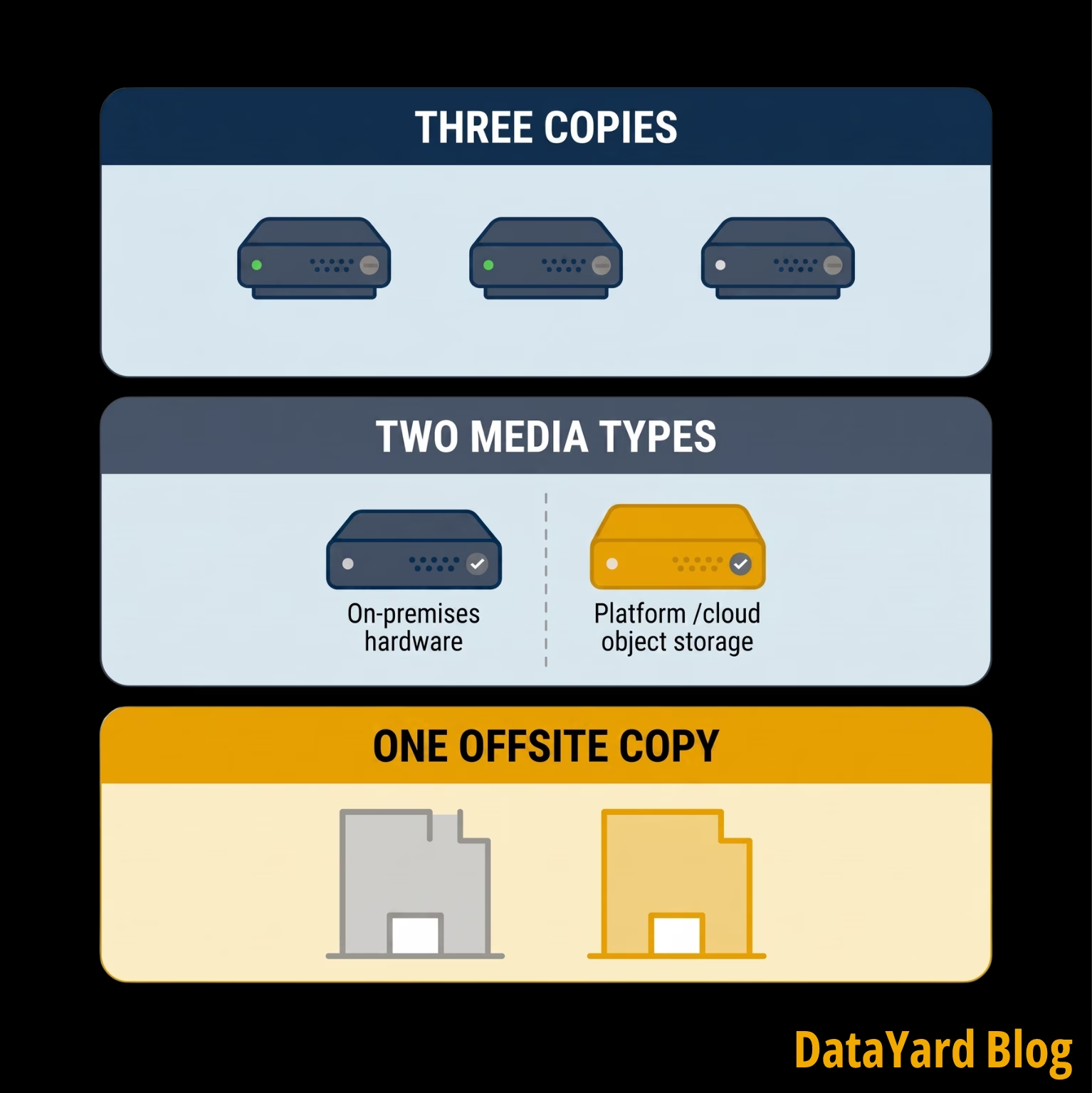
The 3-2-1 backup strategy is a data protection best-practices guideline built around three requirements:
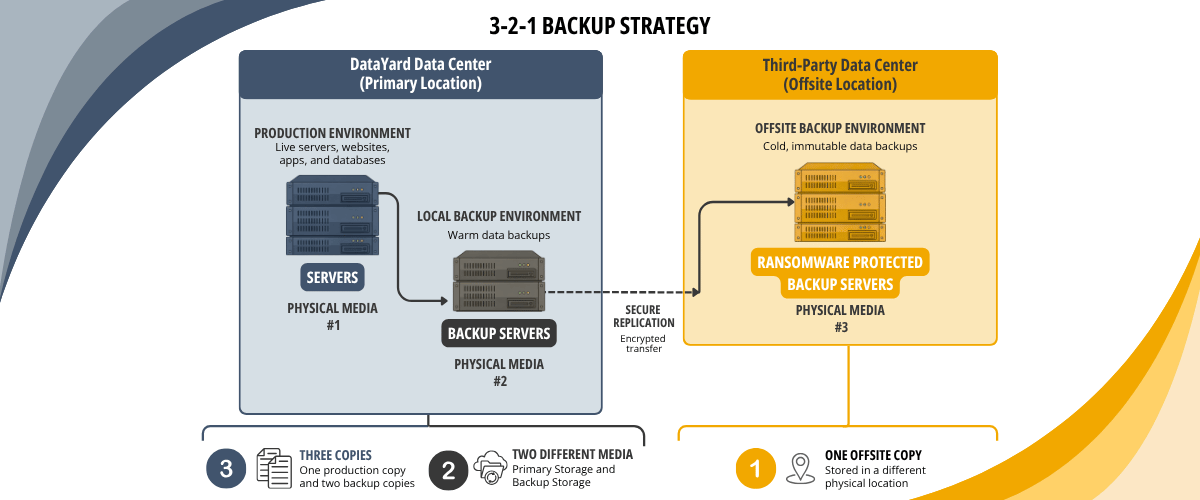
- Three copies of your data. Your production data plus at least two backup copies. The original counts as one of the three.
- On two different types of media. Store copies across distinct storage types, such as physically-and-logically-separated on-prem server hardware and cloud object storage. If one storage system fails, it shouldn't take every copy with it.
- One copy offsite. Keep at least one copy in a separate physical location (i.e. two data centers, two offices, etc), so an incident at your primary site is less likely to reach every available copy.
The rule is generally credited to photographer Peter Krogh, who described the approach in his book on digital asset management, The DAM Book. It came out of a different technology era, but it was never tied to a product or platform. That's why it has survived the move from tape to disk to NAS to private and public cloud.
Why the 3-2-1 Backup Strategy Still Holds Up
Each part of the strategy addresses a different source of risk.
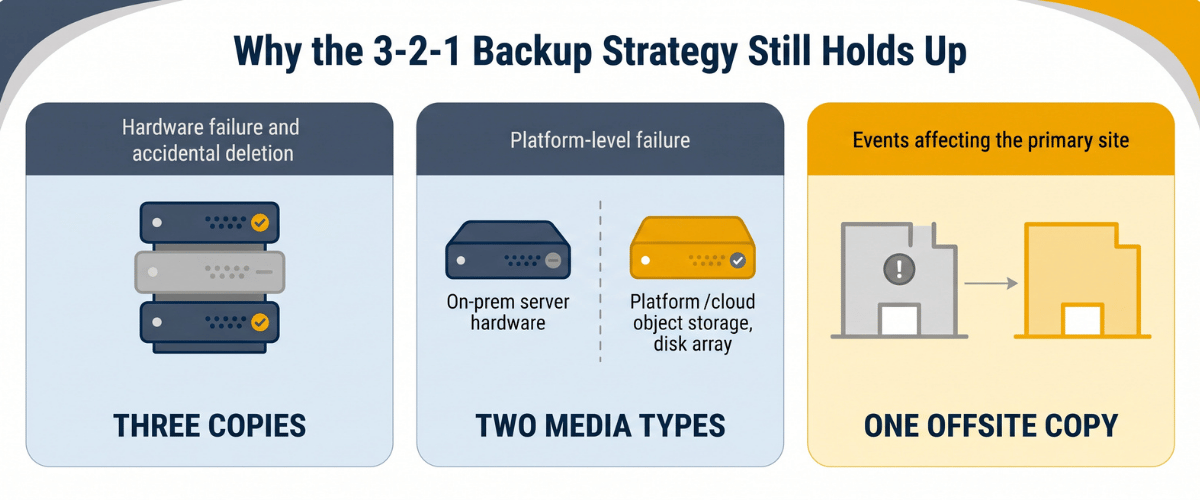
- Hardware failure and accidental deletion. Multiple copies give you somewhere to recover from when production data is corrupted or deleted. A drive fails, and two copies remain.
- Platform-level failure. Different storage media add separation. A firmware issue affecting one platform typically doesn't reach a copy held on another. A drive failure on one server cluster won't take down a physically-separated, second set of servers.
- Events affecting the primary site. An offsite copy protects your recovery data from a fire, a flood, or an extended power outage where production runs.
When used together, these three requirements reduce the odds that one infrastructure problem takes out every copy at once.
The strategy is also vendor neutral, which is less common than it sounds in this category. You can apply the principles across on-premises infrastructure, private cloud, public cloud, and hybrid environments without committing to a platform. The approach has also appeared in federal backup guidance, including a Carnegie Mellon publication on data backup options produced for US-CERT.
Where the 3-2-1 Backup Strategy Breaks Down
The strategy can break down when the environment drifts away from the documentation over time. Because of that, there are several configurations that are worth checking.
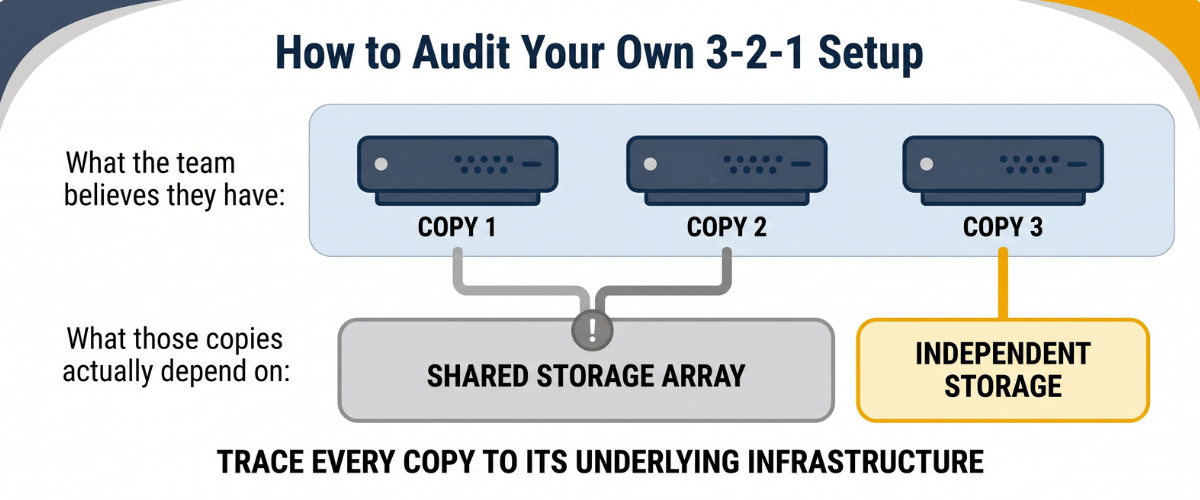
- Three copies sharing the same underlying hardware. A production VM, backup VM, and snapshot repository can look like three distinct copies but, in reality,all three can depend on the same storage array. One problem with that shared infrastructure is that a larger hardware failure can take out multiple copies at once.
- An offsite copy without enough separation. A NAS in a different closet, a second server across the parking lot, or an external drive that goes home with someone on Fridays. Each creates some physical separation, but each often shares power, networking, or exposure to the same localized event. The point of an offsite copy is meaningful separation, not just a slightly different address.
- Replication mistaken for backup. Replication maintains another copy of a system's current state, which is useful for high-availability. The problem is that unwanted changes can propagate too. Encryption from a ransomware event, a corrupted database file, or a mass deletion -- all of these can copy over cleanly. A backup with appropriate retention lets you recover from an earlier point in time. The two strategies can complement each other, but they solve different problems.
- SaaS data without a defined backup plan. Platforms such as Microsoft 365 and Google Workspace operate on a shared responsibility model. They include their own availability, retention, and recovery capabilities, and you should know exactly what those cover. If SaaS data is important to your business, document how it's protected, how long recoverable data is retained, and what your recovery options are.
- Backups that have not been tested through recovery. A completed job confirms the backup process reported success. That's it. A restore test is what tells you that the data comes back and works as expected.
| What Teams Expect | What May Actually Exist | What to Check |
|---|---|---|
| Three independent copies | Multiple copies sharing underlying storage | Trace each copy to its underlying infrastructure |
| An offsite copy | A second copy with shared physical or network dependencies | Confirm meaningful geographic and infrastructure separation |
| A backup | A replica of the current state | Confirm point-in-time recovery is available |
| Protected SaaS data | Reliance on native platform retention | Document retention and recovery capabilities for each platform |
| Verified recoverability | Successful backup job logs without real testing | Confirm the date and results of the last restore test |
How to Audit Your Own 3-2-1 Setup
A periodic review tells you whether your environment still matches the strategy you designed.
Seven Checks
- Trace every copy to the underlying infrastructure. Don't stop at a hostname or volume label. Find out where each copy actually resides and identify shared dependencies.
- Confirm that your storage types actually provide meaningful separation. Check whether a problem affecting one storage platform could reach another copy.
- Review the separation of your offsite copy. Consider geography along with shared power, network, administrative, and infrastructure dependencies.
- Check credential separation. Determine whether the credentials that administer production can also modify or delete backup data.
- Inventory your SaaS data. List the platforms holding important business information and document their backup, retention, and recovery processes.
- Confirm data retention matches your recovery needs. Consider how far back you may need to be able to restore from, and answer the question on whether or not your current retention supports that.
- Record the date and results of your last restore test. If you can't identify a recent one, schedule it, complete it, and document the outcome.
Restore Testing: The Part Most Teams Skip
A restore test goes beyond confirming a backup job completed. It brings data back into a usable environment and verifies the recovered system, data, or application works. NIST guidance for managed service providers and their small and mid-sized business customers treats backup restore testing as a distinct practice alongside conducting and maintaining those backups.
Depending on the workload, a meaningful test may include: restoring to isolated infrastructure, starting the application, checking data integrity against an expected reference point, and measuring how long recovery takes.
The timing of that process matters. Recovery time objectives (commonly known as RTOs) should reflect what your environment can actually deliver. If the business expects a system back within two hours and a tested recovery procedure takes eleven, the test just found a planning gap. That testing period is generally a better afternoon than finding that out in the middle of a real disaster scenario.
The right cadence depends on how important the system is, how quickly the environment changes, and what your recovery requirements are. Whatever interval you choose, document both the procedure and the results.
What Changed: 3-2-1-1-0 and Other Variants
The original rule predates many of today's ransomware threats. Modern backup planning has to account for more than where backup data sits. It has to account for whether an attacker or a compromised account could modify or delete it.
That has produced extensions of the original framework. One commonly referenced approach is 3-2-1-1-0, which keeps the original three requirements while adding another protected copy, such as an immutable or air-gapped copy, plus verification intended to catch backup or recovery errors. Another variation, 4-3-2, calls for four copies across three locations, with two of them held offsite.
It's worth clarifying where these new strategies come from, as most were named and popularized by backup vendors. That doesn't make the underlying advice wrong, and immutability and restore verification are both reasonable additions. It does mean the numbering is a marketing convention rather than a standard. You're not behind just because your well-designed environment doesn't match somebody's acronym.
The more useful question is what protection sits behind the numbers. Immutability, credential separation, appropriate retention, and restore testing all strengthen a backup strategy, regardless of the label. The 3-2-1 backup strategy is still a reasonable foundation, and you can add controls from there based on your recovery requirements and risk profile.
The 3-2-1 Backup Strategy in a Hybrid Environment
Most organizations no longer run a single environment. Systems get distributed across on-premises infrastructure, private cloud, colocation, public cloud, SaaS platforms, etc.
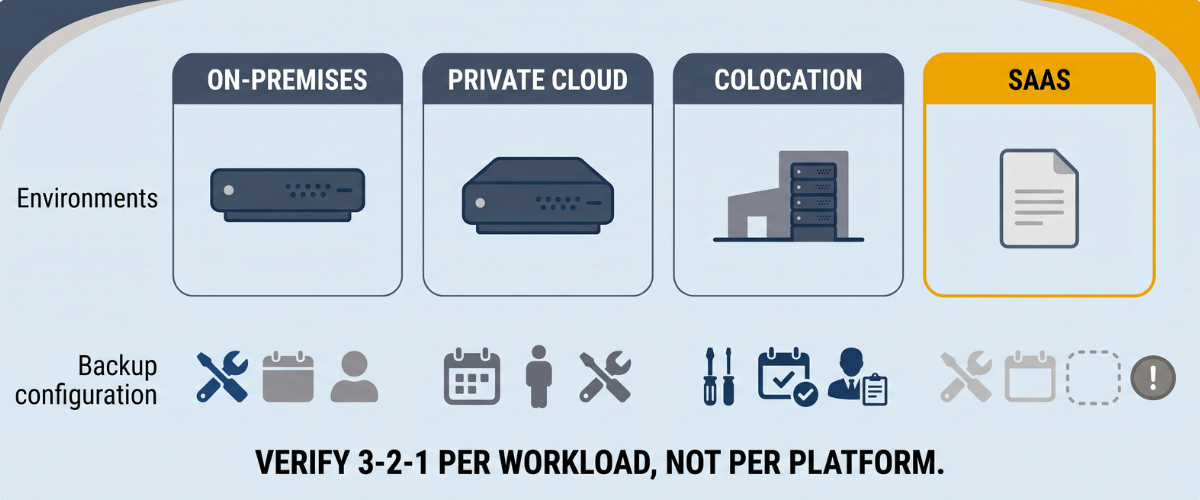
That distribution helps create geographic and infrastructure separation. but it also makes backup planning harder. Different platforms mean different tools, retention settings, administrators, and recovery processes. That's usually where a gap goes unnoticed.
Rather than treating 3-2-1 as a setting on a single backup platform, treat it as an outcome to verify for each important workload. Map the systems your business depends on. Identify where the production data and backup copies live. Document the storage and administrative dependencies behind those copies. Then confirm that the recovery options meet what your business actually requires.
If you're working through a broader infrastructure change, our cloud migration checklist for manufacturing companies blog covers how backup and recovery planning fits into a phased migration.
How DataYard Approaches Backup and Recovery
We have been supporting business infrastructure in Ohio since 1995, and we are SOC 2 Type 2 Accredited. Our approach to backup and recovery starts with understanding the systems you depend on, your recovery requirements, and what infrastructure is already in place.
Our READY backup service uses redundant backup nodes and disks, with data encrypted in flight and at rest. We can protect data from servers at your location, within DataYard's cloud or colocation environments, or at a third-party host, which means the backup architecture be designed around your environment, rather than a single deployment model.
We monitor backup jobs for successful completion and maintain recovery copies according to the agreed retention requirements. Our standard configuration includes 30 daily copies, with additional retention and recovery options available based on business needs.
DataYard can build and manage 3-2-1 backup configurations that provide multiple copies across separate storage media, including an offsite copy. That gives you a way to incorporate that best-practices framework into a managed backup environment, rather than coordinating the pieces across separate providers.
That work usually starts with our Remote Infrastructure Scalability Evaluation, where we review your current architecture against where you're trying to go before recommending anything.
Frequently Asked Questions
Is the 3-2-1 Backup Strategy Still Relevant?
Yes, it remains a useful baseline because it is technology agnostic and creates separation across copies, storage, and location. You can strengthen it further with controls such as immutable storage, credential separation, appropriate retention, and restore testing.
Can Cloud Storage Count as Both Media Types?
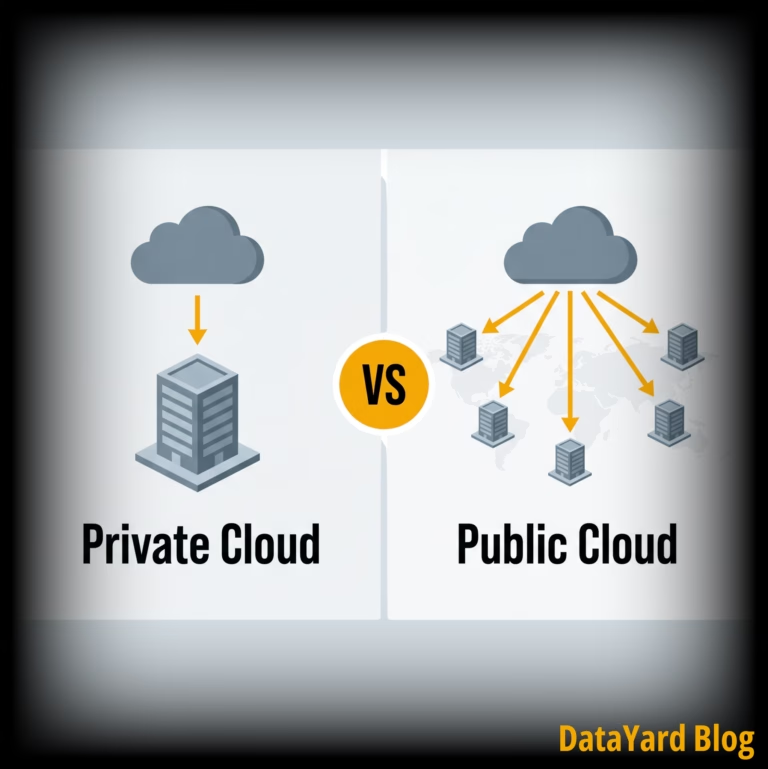
Possibly, although the question is how much independence exists between the copies. Two buckets in the same account with the same credentials provide less separation than two distinct platforms. Combining local and cloud-based storage is one common way to create additional separation.
Does the 3-2-1 Backup Strategy Protect Against Ransomware?
It helps, particularly through the offsite copy, but the original framework wasn't designed around modern ransomware. Common cyber attacks now target backup infrastructure directly. Immutable or otherwise protected backup copies, along with credential separation between production and backup systems, can strengthen recovery options against ransomware-related data loss.
How Often Should Backups Be Tested?
Backup testing should follow a defined schedule based on the importance of the workload, rate of change, and recovery objectives. Many environments review critical systems quarterly, and some warrant more frequent testing. The important part is performing meaningful restore tests and documenting the results.
Is Replication the Same as Backup?
No, replication maintains another version of the current system state, which means unwanted changes carry over to the replica. It supports availability rather than recovery to an earlier point in time. Backups provide retained recovery points that let you return to an earlier state. Some environments benefit from both.