Layered security means no single control has to hold the line on its own. Three recent cybersecurity incidents show why patching is one layer, not the whole strategy.
What Layered Security Means
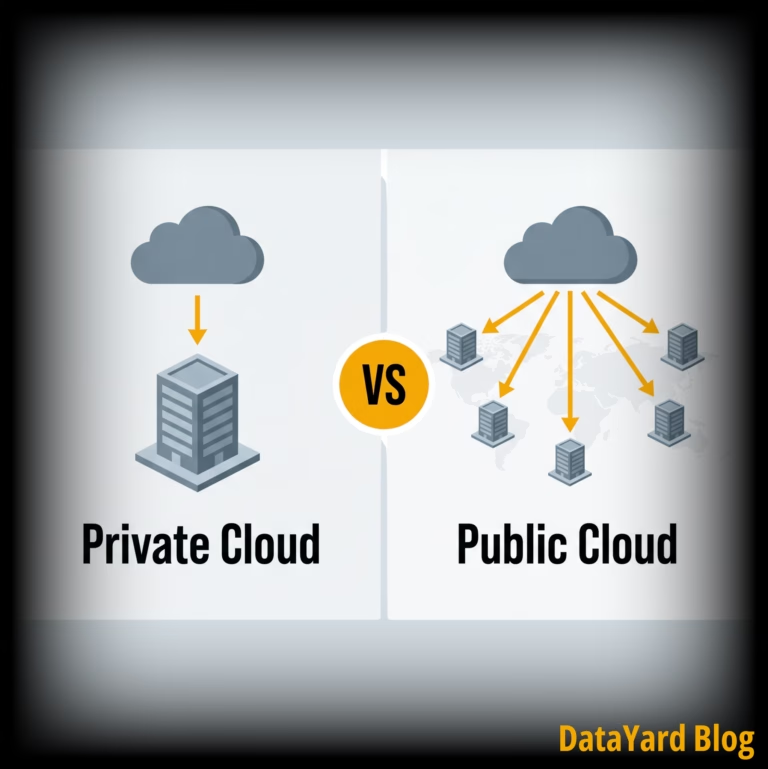
Layered security, often called defense in depth, means an attacker has to get past more than one layer of cybersecurity protections. Controls are built to overlap, so that a gap in one is covered by another.
Most descriptions will organize those controls by type. Physical security. The network perimeter. Endpoints. Data. Identity and access. Not to be forgotten is the human layer, which usually means training. It is a useful map of where defenses sit.
This map tells you where your defenses are. However, it does not tell you what happens when one of them fails.
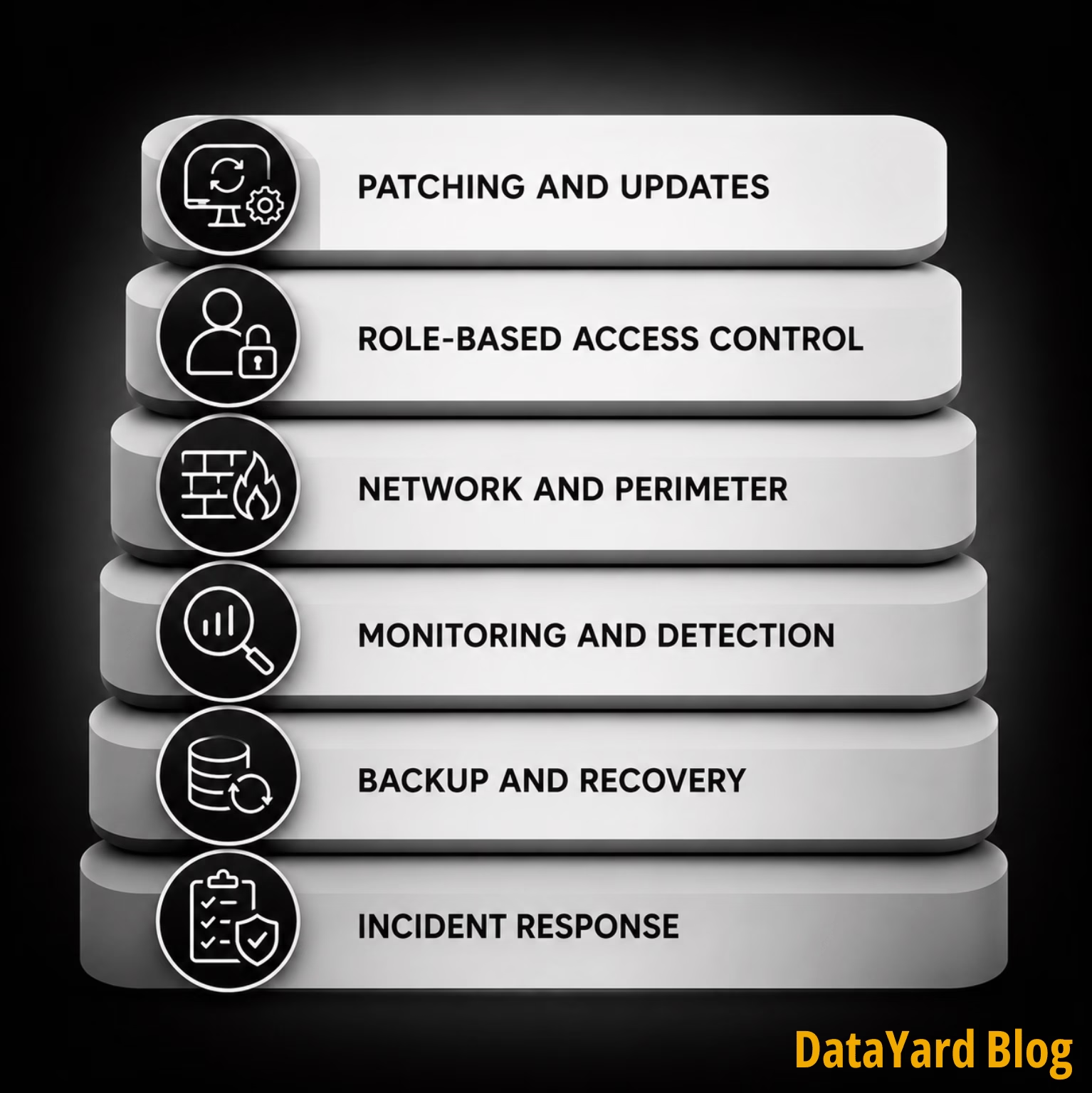
A more practical view organizes the same architecture by function, and asks a question the control-type list never gets to: what does each layer fail to cover?
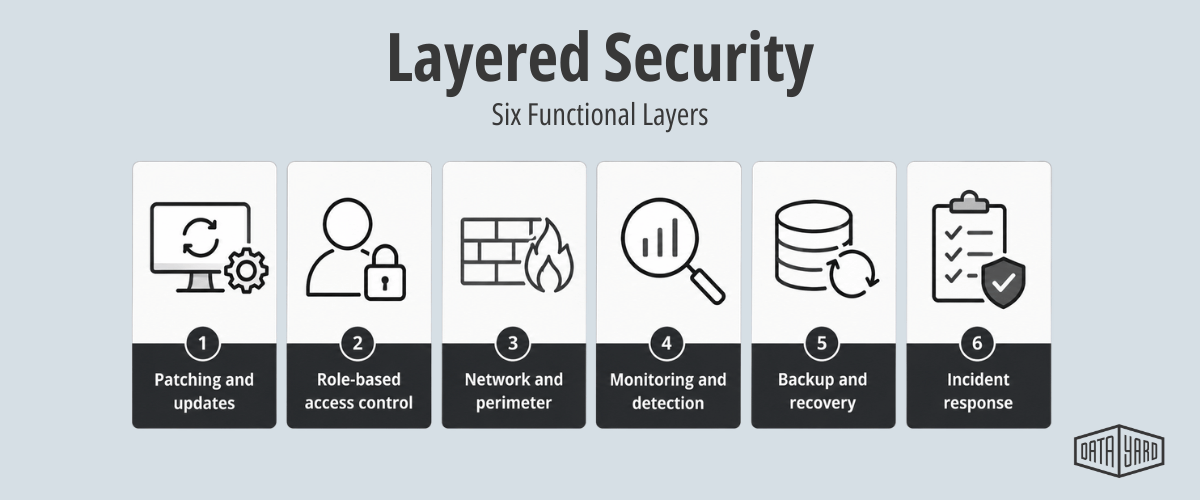
Set out that way, each of the six layers has a limit, and that limit is what the next layer is there to handle.
| Layer | What it does | What it cannot do |
|---|---|---|
| Patching and updates | Closes known vulnerabilities | Anything related to unknown or unpatched vulnerabilities |
| Role-based access control | Limits what a compromised account reaches | Prevent the compromise itself |
| Network and perimeter | Blocks and segments unwanted or malicious traffic | Stop something already inside |
| Monitoring and detection | Surfaces suspicious behavior | Prevent the behavior |
| Backup and recovery | Restores operations after an incident | Prevent the incident |
| Incident response | Determines who acts, and how fast | Work if it was never planned |
Reading the right-hand column on its own, it's clear that every line in it is the reason another layer exists.
Patching is just the first row, not the whole table.
Three incidents in just the past six weeks show what these defense layers look like when they're tested.
Three Incidents, Three Layers Under Pressure
The three incidents below happened within roughly six weeks of each other, in different industries and on different technology. What makes them worth reading side by side is that each one put a different layer under pressure, and each one exposed something the layer before it could not cover.

WordPress: When the Patching Layer Is Racing a Clock
On July 17, WordPress released version 7.0.2 to address "one critical and one high-severity security issue". Two vulnerabilities which, when chained together, could lead to remote code execution on a default installation. WordPress recommended updating immediately, then went further and enabled forced updates through the automatic update system.
If you manage WordPress sites, the immediate action is short: Check the version. Back up the site. Then update anything not already on 7.0.2, 6.9.5, or 6.8.6.
The harder part is every other patch, where nobody makes the decision for you.
We patch operating systems and platforms across the environments we manage, and the update is rarely the difficult step. The difficult step is knowing what you have in the first place. A mid-sized organization might be running dozens of applications and plugins across a mix of operating systems, endpoints, network devices, and third-party platforms. Before anyone installs anything, someone has to work out which of those are affected and judge the risk.
Then there is the step that often gets skipped under time pressure: checking whether anyone exploited the gap before you closed it. Patching closes a known path. It can't do anything about a bad actor who used that path while it was open.
N-able N-central: When the Access Layer Decides How Far It Goes
N-central is a remote monitoring and management platform. IT providers and internal IT teams use it to administer machines at scale, which means it is built to have deep access by design.
Researchers at Huntress, DataYard's managed EDR partner, reported active exploitation of a critical vulnerability in current N-central versions. Huntress reported that exploitation could hand an attacker administrative access to the N-central console, and from there reach the endpoints under its management. N-able issued hotfixes, then a revised one after the first.
The lesson is not that everyone should stop using remote management tools. Centralized administration exists because it works.
The lesson is: the tools you trust are part of your attack surface too. When one of them is compromised, the access layer decides how far the damage travels.
That makes a few questions worth answering -- before you need the answers. Which systems hold privileged access? Are they up to date? Is that access broader than the job requires? Is anyone watching how it gets used? If the tool built to administer your environment becomes the problem, what happens next?
Minnesota Water Systems: When There Is No Patch to Apply
In late July 2026, a coordinated cyberattack hit more than 30 community water systems across Minnesota. One plant went offline. Others reported communications failures or problems with automated controls. Some kept operating manually.
At the time of reporting, investigators had not publicly identified the attacker, the affected products, or the vulnerability involved.
That uncertainty is the whole lesson.
Vulnerabilities do not always arrive as an announcement with a patch attached and a convenient maintenance window to install it. Sometimes the first sign is unusual activity. Sometimes it's a system that won't respond. But by that point, the question has changed. It is no longer which update to apply. It is how fast normal operations come back, which puts the full weight of the response on a team's recovery and incident response plans.
Some of those Minnesota systems kept running manually. That is a continuity layer doing exactly what it was built for.
The same exposure applies anywhere operational technology drives the work. For example, a manufacturer whose production line depends on automated controls faces an identical question. If the controls stop responding and there is no patch to apply, what keeps running, and for how long?
Layered Security Is Also an Infrastructure Question
No single product or process would have prevented all three of these. These are different technologies, different attack paths, and different organizations.
What they share is this: in each case, the damage depended less on the vulnerability than on what the surrounding environment allowed to happen next.
That is the argument for cybersecurity layers rather than products.
The WordPress release shows where those layers meet. A WordPress update belongs to the application layer, and whoever maintains the application has to evaluate and apply it. But the application runs somewhere. That somewhere still needs its operating system patched. It needs monitoring. User access needs controlled. Backups need to exist and actually work in a restore. Network and system capacity still have to hold. If and when something breaks, someone has to work out what is happening underneath the application.
In organizations without a dedicated infrastructure or cybersecurity team, those responsibilities land on whoever is nearest, usually the IT staff or the development partner already carrying everything else. The problem is often not that a layer was intentionally ignored. It is that nobody was clearly accountable for it.
A layer nobody owns is not a secure layer.
That reality is usually a huge portion of the gap. Not whether these layers matter, but who owns each one. DataYard helps internal IT teams and development partners manage the infrastructure responsibilities behind their applications, including monitoring, environment management, security patches, backup, and recovery.

Building the Security Layers: What to Do Now
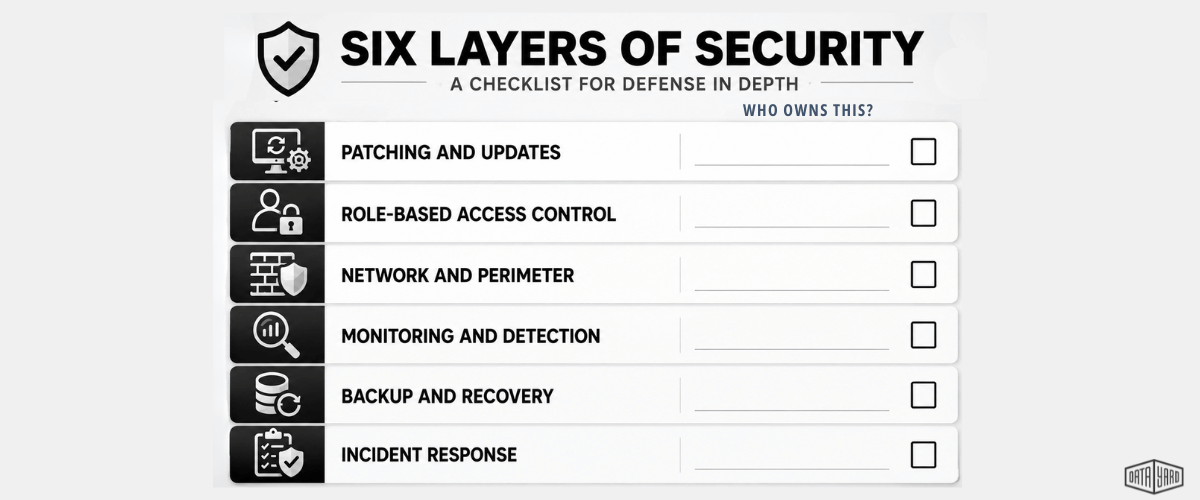
Here's a high level on how to build the six security layers. None of them require a large security budget, but all of them require someone to own them.
- Keep systems and applications current. Start with an inventory, because you can't patch what you don't know about. Take note of everything you operate, who maintains each part, and how fast a critical update goes from disclosed to deployed. Decide in advance which systems should get tested before an update and which should get patched immediately. Make sure responsibility is assigned at every layer, so critical updates do not fall between vendors.
- Control what reaches your systems. The firewall is the layer people assume is handled because it was configured once. Rules accumulate. Exceptions get added for a project and never removed. Segmentation that made sense two years ago stops matching how the network is actually used. Regularly review what is permitted, segment so that one exposed service cannot reach everything, and close anything that is open because it was easier than asking why.
- Protect privileged access. Administrative systems earn extra scrutiny because one compromised privileged account can open the door to everything behind it. Apply multi-factor authentication everywhere it can go. Limit administrative rights to only the people who need them for the work they are doing now, not the work they did two years ago. Take a periodic look at who still holds what permissions, because access can accumulate quietly. The principle is consistent: access should be enough for the job, but no broader.
- Monitor for what patching cannot prevent. A patch closes a known vulnerability. Monitoring surfaces behavior that shows up before a patch exists, before it is installed, or through a path nobody anticipated. Managed Endpoint detection, infrastructure monitoring, logging, and alerting all contribute. Alerts also need somebody reading them, which is the part that often quietly fails. The goal is not stopping every attack. It is noticing the unusual thing before it becomes an operational problem.
- Make recovery part of security. Backups get filed under maintenance. They are also a security control, and ransomware tactics have made them another target, rather than a safety net. Know what is protected, how often copies are made, and how backups are isolated from the systems they protect. Immutable backups are the strongest version of that isolation: once written, a copy cannot be altered or deleted for a set retention period, not even by someone with administrative access. Then test the restore process. A backup that has never been restored is an assumption. A tested recovery is a plan.
- Know what happens when something goes wrong. The middle of an incident is a terrible time to work out who to call. Decide in advance who owns the response, who can isolate a system, which vendors get involved, where the backups live, how critical operations continue while systems are down, and who has authority to make the call. For a smaller business, this does not need to be a hundred-page manual. One page and a phone list will do. It just needs to exist.
The Part That Is Harder Than the Advice
None of the above is particularly controversial. Many IT teams could write this list themselves.
The difficulty is that these are standing commitments to be reviewed regularly, not one-time tasks. Patching is continuous. Firewall rules drift. Access accumulates. Alerts need attention the day they come in.
For smaller IT teams, maintaining every layer becomes a capacity problem. And the gap is often not a layer nobody thought about; it's just a responsibility that nobody has clearly owned.
A layer nobody owns is not a secure layer.
This is the work we do. DataYard manages the infrastructure behind business systems and applications. Depending on the environment and the scope of the engagement, that can include operating system patching, 24/7/365 monitoring, network and firewall management, endpoint detection and response, and backup and recovery.
Working together, those layers do more than they could do separately. When paired with other layers, monitoring has context about the infrastructure it is watching. Backup and recovery are planned around the systems they protect. And with one team accountable for more of the environment, there are fewer gaps between vendors for a problem to fall into.
Not every layer will be ours. Application maintenance, user access, and staff training may sit with your team, a development partner, or another provider. We can help tell you which is which.
Start with a conversation about what you are running, which layers have a clear owner, and how you would recover from an incident.
Frequently Asked Questions: Layered Security
What is layered security?
Layered security, also called defense in depth, means an attacker has to get past more than one cybersecurity control. Defenses are built to overlap, so a gap in one is covered by another. Typical layers include patching, access control, network controls, monitoring and detection, backup and recovery, and incident response.
How is layered security different from defense in depth?
The terms are often used interchangeably, although some practitioners distinguish between them. Defense in depth can refer more specifically to placing multiple controls along the same attack path, while layered security can describe the many different types of controls across an environment. In practice, both share the same principle: no single control should be load-bearing.
What are the layers in layered security?
Many cybersecurity frameworks list six layers, organized by control type: physical security, perimeter and network security, endpoint protection, data security, identity and access management, and human or administrative controls. An alternative view organizes the same architecture by function: patching, access control, network controls, monitoring and detection, backup and recovery, and incident response. The second view can be more useful for assigning ownership of each area, because it describes what each layer does rather than where it sits.
Why is patching not enough on its own?
Patching only addresses vulnerabilities that are known, disclosed, and fixed. It does nothing about the time period before a patch exists, the period before it is installed, or an attack that does not rely on a vulnerability. It is one layer, and an important one, but it works best when other layers cover what it cannot.
How many layers does a small business need?
There is no fixed number. A practical starting point is making sure each of the six functions above is assigned to someone, whether internal staff or a provider. The common failure is not a missing layer, but having a layer nobody owns, and therefore isn't thinking about or regularly reviewing.
What should we do if there is no patch available?
Shift attention to the layers that do not depend on one. Limit access, watch for unusual behavior, confirm backups are current and able to be restored, and know how critical operations would continue manually if needed.
Who is responsible for each layer in a hosted environment?
Responsibilities vary significantly by hosting model and provider. Application maintenance may belong to a development team, while operating system patching, monitoring, backups, or infrastructure security may be handled internally or by a managed provider. What matters is documenting those responsibilities explicitly so neither side assumes the other is covering them.
You Can't Control When the Next Vulnerability Appears
Three incidents. Three completely different stories, but all could benefit from layered security.
Nobody can predict which vulnerability, compromised tool, or technique will arrive next. What you can influence is how many layers stand between one problem and a much larger one.
Keep systems current. Reduce unnecessary access. Watch the environment. Keep backups that actually restore. Know who owns each layer. Have a response plan before you need it.
Layered security is not one patch, one product, or one person watching a dashboard. It is a set of controls arranged so that any single failure is survivable.
Not Sure Who Owns Each Layer?
Not sure who owns each layer of your infrastructure? Talk with a DataYard engineer about your current environment, how it is protected, and how you would recover from an incident.
References
- WordPress. "WordPress 7.0.2 Release." July 17, 2026. https://wordpress.org/news/2026/07/wordpress-7-0-2-release/
- Huntress. "Critical N-able N-central Vulnerability and Active Exploitation." August 2026. https://www.huntress.com/blog/n-able-vulnerability-exploitation
- The Hacker News. "Coordinated Cyberattack Targets 30+ Minnesota Water Systems as One Plant Goes Offline." July 2026. https://thehackernews.com/2026/07/coordinated-cyberattack-targets-30.html