In This Post
What EDR Does for a Small Business
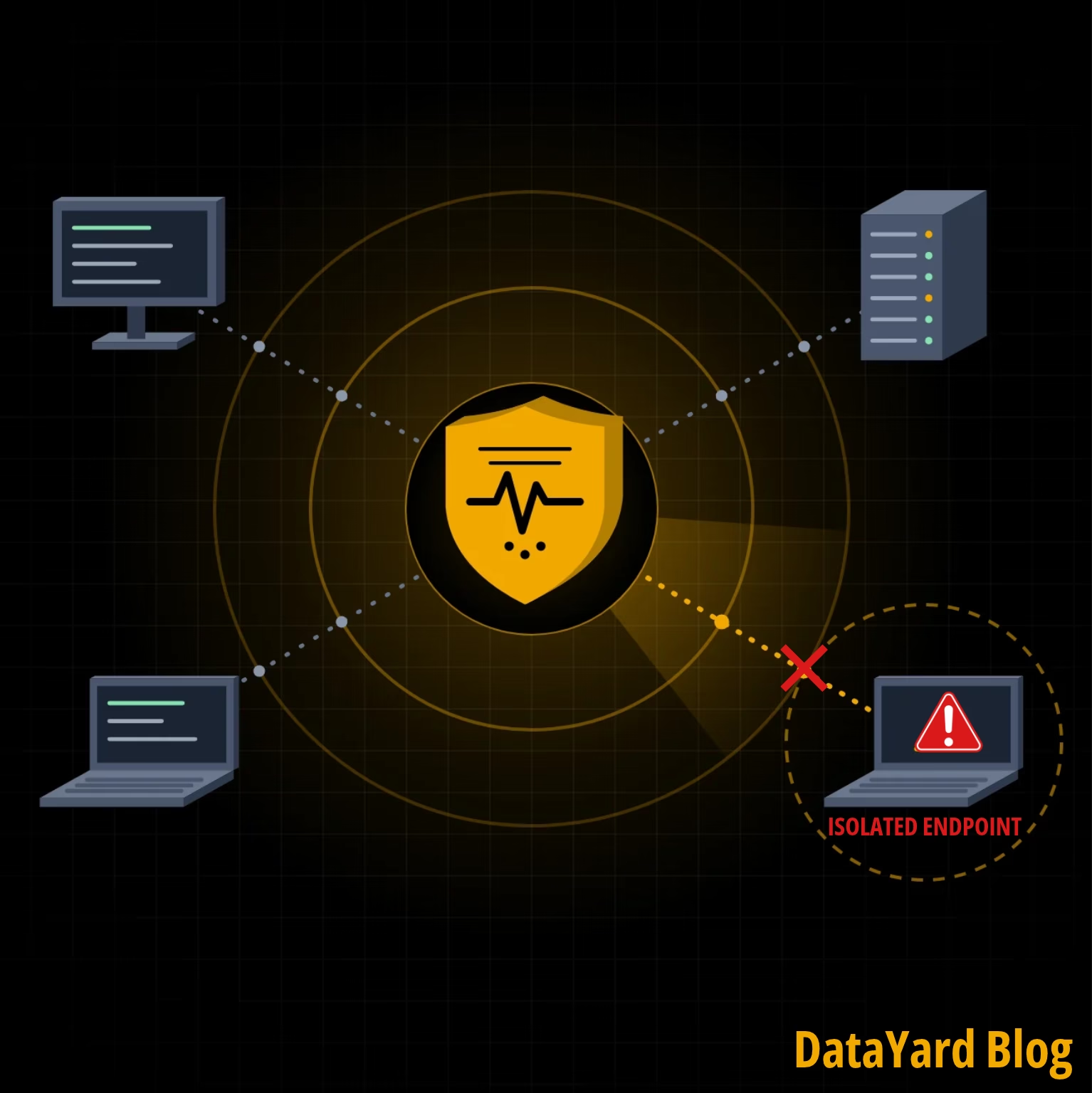
Endpoint Detection and Response (EDR) is software that runs on each endpoint (i.e. laptops, desktops, and servers) and watches for suspicious behavior. When EDR finds something out of the ordinary, it can alert a person and, in many cases, isolate the affected device from the rest of the network.
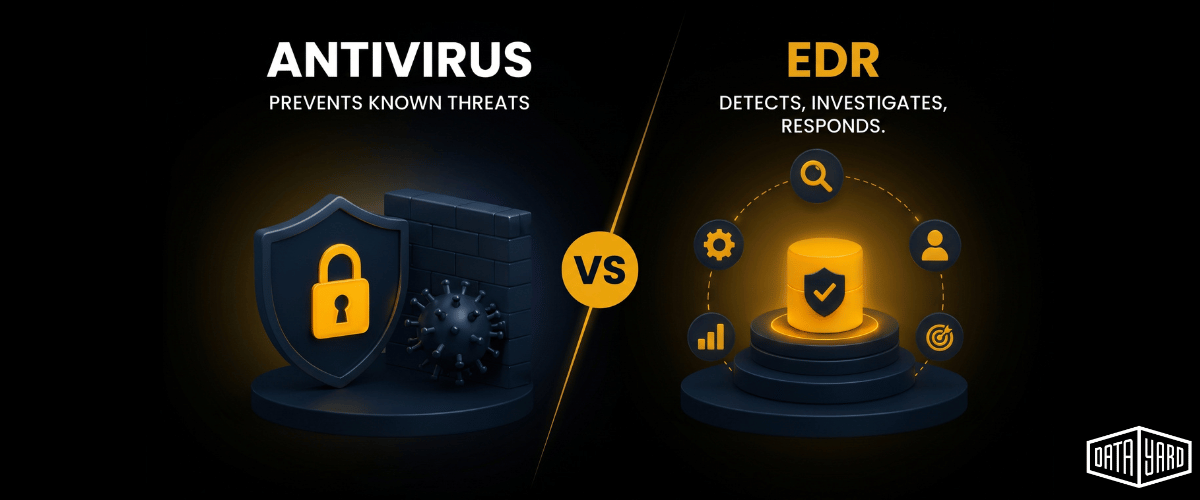
Traditional antivirus (AV) typically uses signature-based detection to block threats that are already known. EDR looks at behavior, so it can help catch activity that does not match a known threat. For example, a bad actor may use a legitimate tool or a stolen login to get past antivirus, but EDR can help catch them based on what they do on the endpoint after they get in. If you want the full comparison, our post on EDR vs. antivirus covers how the two tools work together.
This matters for small teams because ransomware remains common. According to the Verizon 2026 Data Breach Investigations Report, ransomware was involved in 48% of the breaches that were analyzed.
The Three Common Options for Small Business EDR
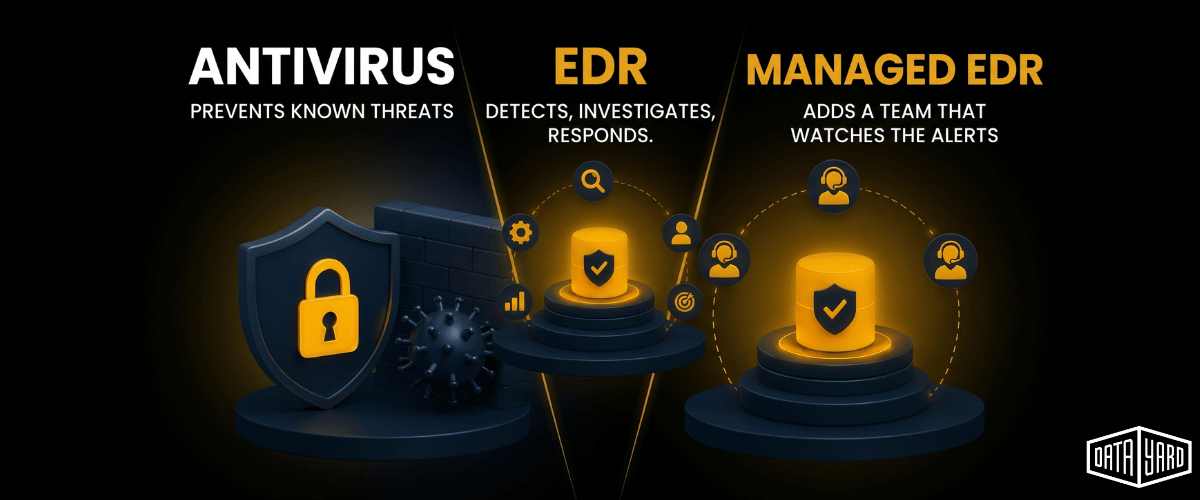
Most endpoint protection for a small business falls into one of three options. All three run software on your laptops, desktops, and servers, but they differ in what the software looks for and in who is responsible for responding when it finds something. Antivirus by itself blocks known threats and typically does not involve a person at all. EDR adds behavior-based detection, but the alerts go to your own team, so it works best when someone has the time and cybersecurity knowledge to review and remediate them. Managed Endpoint Detection and Response (mEDR) uses the same kind of detection, but adds an outside Security Operations Center (SOC) that monitors and investigates the alerts for you. Some providers also help remediate the cyber threat.
The table below compares the three common ways that a small business can approach endpoint protection, based on what each option does and who watches the alerts.
| Option | What It Does | Who Watches the Alerts | Often a Fit For |
|---|---|---|---|
| Antivirus (AV) only | Blocks known, signature-based threats on each device. | Typically no one. | Very small environments with limited risk, as a starting point. |
| EDR, managed in-house | Detects suspicious behavior and can isolate a device. | Your own IT staff. | Teams with cybersecurity staff who can review alerts regularly. |
| Managed Endpoint Detection and Response (mEDR) | The same detection, with a Security Operations Center (SOC) monitoring and investigating alerts. | An outside SOC, with a provider that is alerted and responds with you. | Businesses with a small IT team, or no dedicated IT person on staff. |
For many small businesses, the difference between the second and third rows is the deciding factor, because cyberattacks can move quickly. According to the CrowdStrike 2026 Global Threat Report, the average time between a hacker gaining initial access and moving on to other systems fell to 29 minutes in 2025.
A tool that sends an alert at 2AM to an inbox that no one is watching can mean that a cyber threat active until the next business day.
How to Choose EDR for a Small Business: Start With Your Team
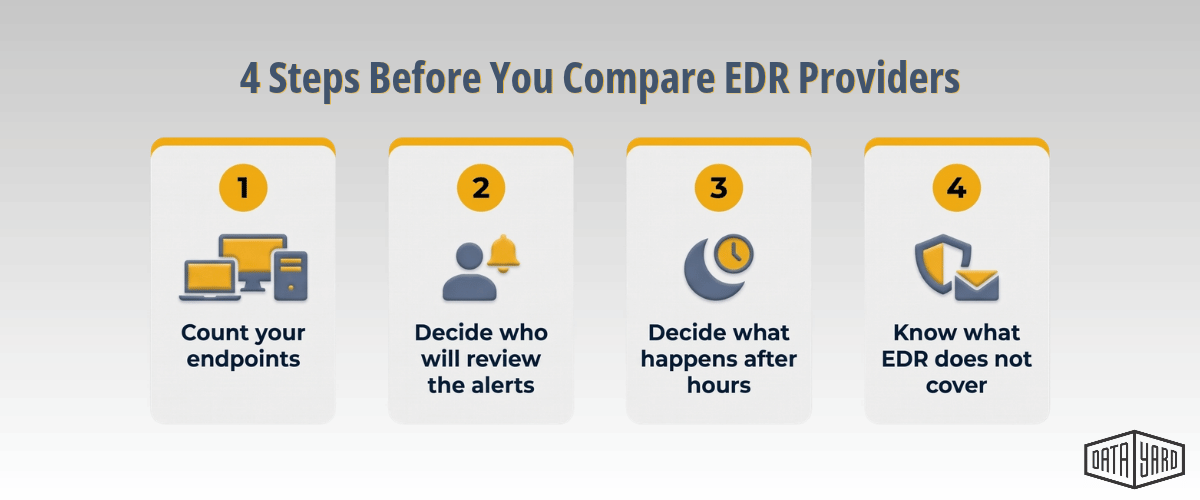
Before comparing products, take an honest look at your own team's capacity. Most EDR tools can detect suspicious behavior, so the bigger difference between your options is often what happens after an alert comes in. Working through the four steps below first can help narrow down which option is realistic for your business, and it can make conversations with providers more productive.
- Count your endpoints. Include laptops, desktops, and servers, plus any devices that remote employees use. EDR is typically priced per endpoint, so an accurate count helps you compare quotes, and it helps make sure that no device is left unprotected.
- Decide who will review the alerts. If the answer is a single employee who's already wearing too many hats, managing EDR in-house may be hard for them to keep up with. Alerts need attention as soon as they come in, and someone has to be able to tell a real cyber threat apart from normal activity. If that is not realistic for your team, Managed EDR may be a better fit.
- Decide what happens after hours. Many cyberattacks do not wait for the business day, so decide who would be alerted (and who can properly isolate a device) on a night, weekend, or holiday.
- Know what EDR does not cover. EDR protects the devices that it is installed on. It does not, by itself, protect email accounts or user logins, so make a list of what else your business relies on (i.e. email, cloud applications, etc.) and ask how those are protected.
Once you know your endpoint count, who is available to respond, and where your gaps are, you will be ready to compare providers.
Questions to Ask an EDR Provider
These questions can help you compare EDR providers on more than just a feature list. Bring your endpoint count and your answers from the section above, and ask each provider the same questions so that the answers are easy to compare side by side.
- Who monitors the alerts, and during what hours? Does a person review each alert, including on nights and weekends?
- What happens when a cyber threat is confirmed? Who isolates the device, who contacts you, and how quickly?
- Which devices and operating systems are covered?
- What is not covered, and what would you recommend for those gaps?
- What reporting will we receive, and how often?
- What are the contract terms, and is there a minimum number of endpoints?
- What does onboarding involve, and how long does it typically take?
What a Managed EDR Response Looks Like
The difference between EDR and Managed EDR is easier to see in a real example.
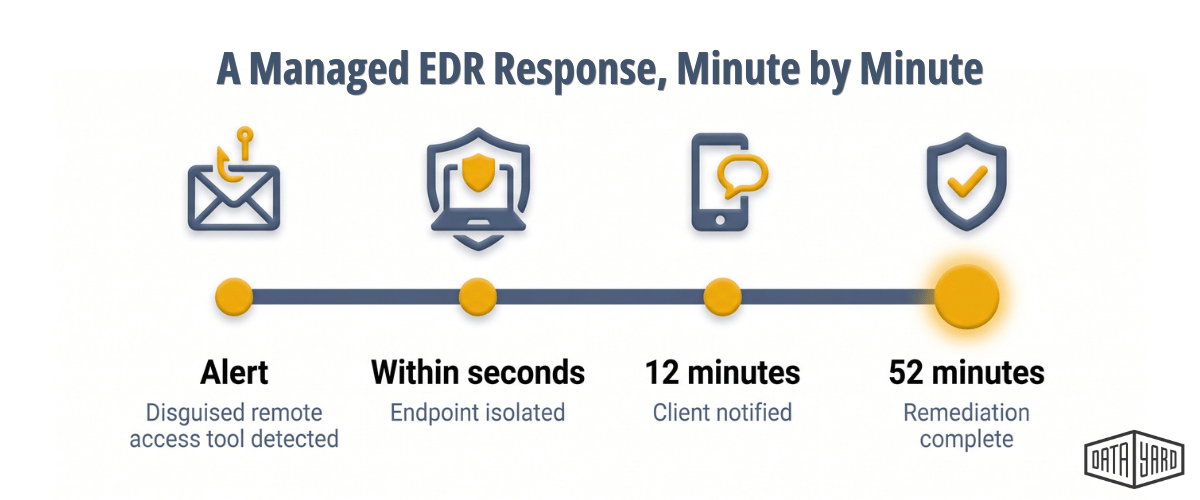
One DataYard client (a professional services company with no cybersecurity staff on site) had an employee download a disguised remote access tool from a phishing email. Huntress detected the tool, isolated the endpoint within seconds, and alerted the DataYard team. DataYard notified the client 12 minutes after the alert came in, and remediation was complete 52 minutes after the alert.
With EDR that is managed in-house, that same alert would have gone to the client's own staff, who would have needed to investigate the cyber threat and remediate it themselves. In this case, the Huntress SOC and DataYard handled those steps and kept the client informed along the way. Our Managed EDR case study walks through the full timeline.
DataYard's Managed EDR is powered by Huntress on the backend and supported by our Ohio-based engineers. The Huntress SOC handles detection, monitoring, and investigation, and DataYard is alerted, responds, and remediates for you.
EDR Is One Layer, Not the Whole Plan
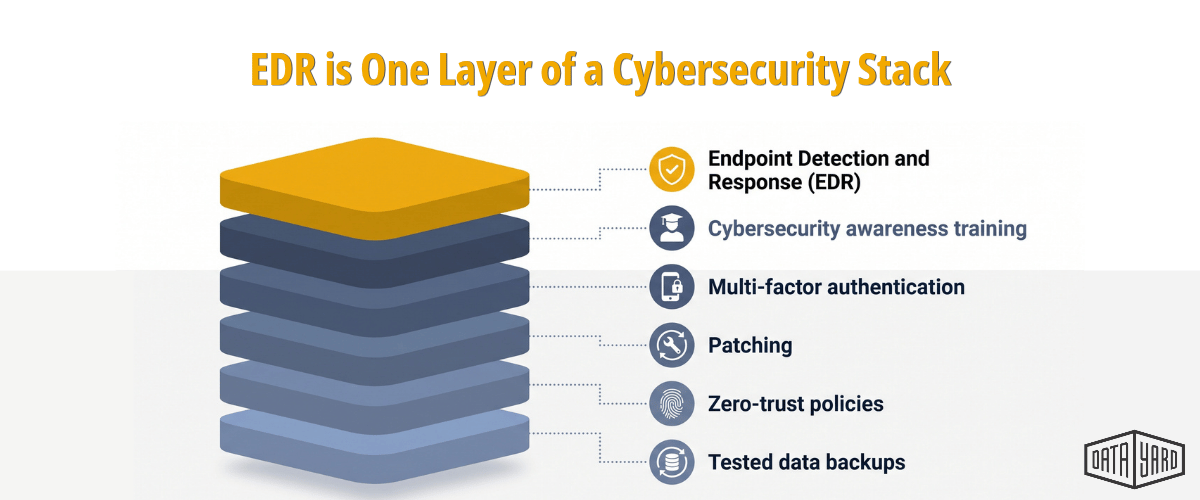
EDR can help contain a cyber threat, but it works best when it is used together with other cybersecurity layers. For example: end-user cybersecurity awareness training is always important. Antivirus and EDR will not stop an employee from clicking a suspicious link, but they can help minimize the impact if they do.
Alongside EDR, regularly review the basics: multi-factor authentication, patching, zero-trust policies, and data backups that have been tested. Together, these layers make up a more complete cybersecurity stack.
Not every business needs the same layers. DataYard can help you put together a cybersecurity stack that is customized for your team.
Frequently Asked Questions
Does a Small Business Need EDR?
Many small businesses can benefit from EDR or Managed EDR, especially those that store confidential client data or would struggle to operate during an outage. The right level of protection depends on your devices, your data, and who is available to respond.
What Is the Best EDR for a Small Business?
There is no one-size-fits-all answer. For many small businesses, the product name matters less than who reviews the alerts and who responds, so the best fit is often the option that your team can realistically keep up with.
What Is the Difference Between EDR and Managed EDR?
EDR is the software. Managed Endpoint Detection and Response (mEDR) adds a team that monitors and investigates the alerts, so that your staff is not the only line of response.
How Is EDR Priced?
EDR is typically priced per endpoint, so the total depends on how many devices you need to protect. Our team is happy to talk through your endpoint count and what would make sense for your business.
Can EDR Replace Antivirus?
It depends on the product. Many businesses can benefit from running both, because antivirus and EDR solve different problems.
Does EDR Protect Email?
Not by itself. EDR protects the devices that it is installed on, so email and user accounts typically need their own protections.
References
- CrowdStrike. (2026). 2026 Global Threat Report
- Verizon. (2026). 2026 Data Breach Investigations Report